How to Streamline Tattoo Consultations Without Sacrificing Quality
• by DND Applications • 10 min read
The consultation phase can drain more energy than the tattoo itself.
Clients walk in with ten screenshots, two conflicting styles, three placement ideas, and one sentence that matters most: "I just want it to feel like me." Translating that into a cohesive, printable design is real creative labor, and it is often unpaid. Those extra hours are exactly where profit margins get eaten. If you want to protect your time without lowering your artistic standard, the solution is not rushing the art. It is streamlining the path from words to a stencil-ready design.
Why consults feel heavier than they should
Most consults fail for one reason: the conversation stays abstract for too long.
- The client describes a vibe, not a composition
- References clash in line weight, subject matter, and era
- Placement changes everything, but the decision is postponed
- You end up "starting the drawing" before alignment is real
That is how you land in endless revision loops. You are not just designing, you are interpreting uncertainty.
The fix is simple: anchor the consult to visuals early. When the client can react to real options, you stop guessing and start converging.
Reference synthesis has evolved
Combining references used to mean lightboxing, tracing, and rebuilding shapes manually. That process can still be valuable, but it should not be your default starting point during a consult.
Modern tattoo AI lets you generate multiple directions quickly while the client is sitting in front of you. That changes the dynamic. Instead of debating a mood, you show versions that capture the mood. Instead of arguing about "too busy" or "too minimal," you place two drafts side-by-side and let the client choose the lane.
Examples that work well in real consults:
- Neotraditional with a darker mood, clean edges, medium detail
- Mythic but minimal, strong silhouette, negative space focused
- Ornamental frame around the main subject, symmetry preferred
- Blackwork, high contrast, simplified shading for readability
- Soft illustrative with clear stencil lines, fewer micro details
The benefit is not replacing your style. The benefit is faster alignment. You get to the "yes, that's it" moment earlier, and you spend your drawing time refining instead of correcting direction.
The stencil is the real point of failure for most tools
A beautiful drawing does not guarantee a clean thermal copy.
Thermal printing demands a very specific type of file:
- Crisp edges and strong separation
- Noise-free whites and controlled texture
- Consistent line weight where it matters
- No muddy gray fields that turn into blotchy transfers
Many free "tattoo generator" tools produce images that look good on screen but fail as stencils. You end up redrawing, thickening lines, cleaning artifacts, and adjusting levels repeatedly. That manual cleanup is invisible to the client, but it is expensive for you.
A messy stencil also creates mid-session guesswork. Guesswork causes hesitation. Hesitation breaks flow. Flow is where your best tattooing happens.
Modernize your workflow with Stencify
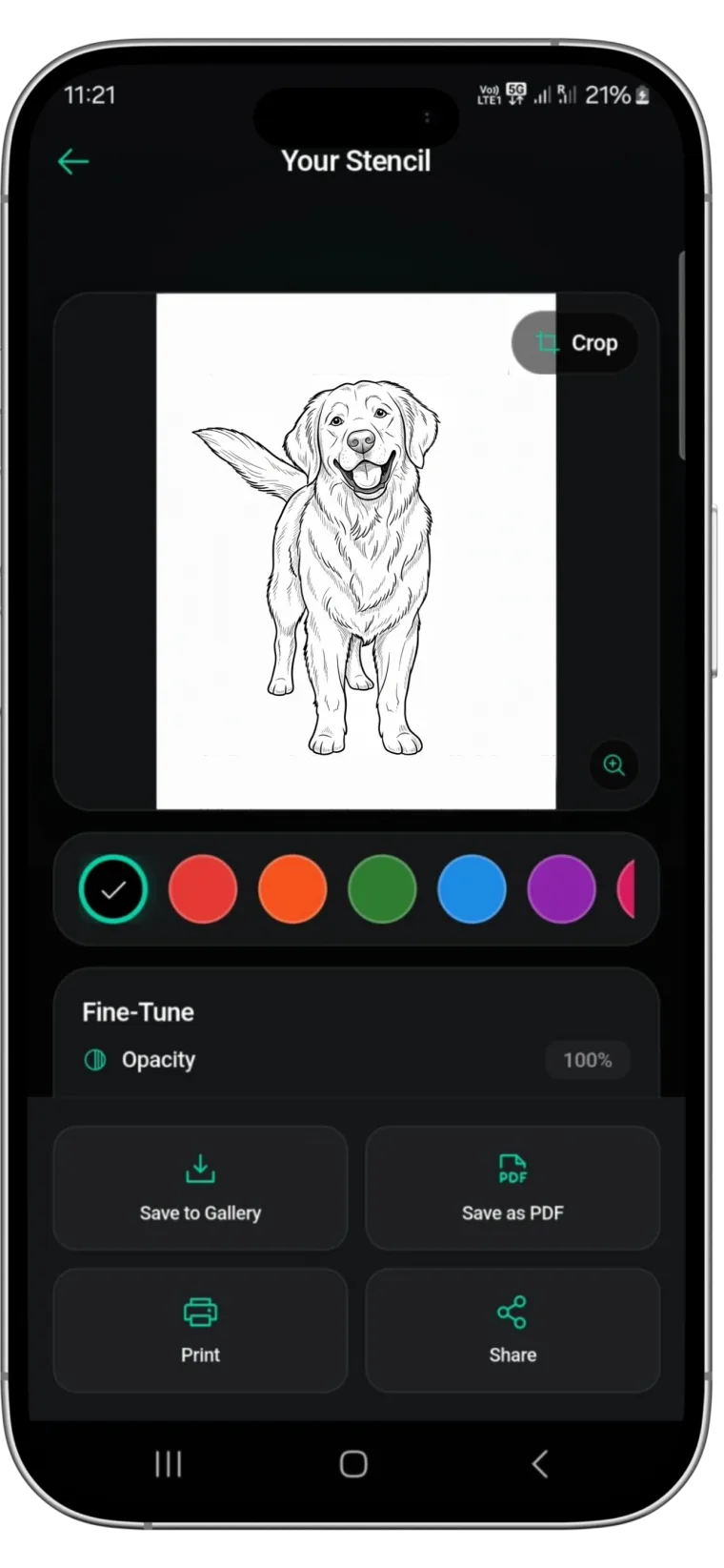
Stencify bridges creative ideation and technical stencil prep. It is built for the gap artists actually feel: turning messy inspiration into a thermal-ready stencil without hours of tracing and adjustment.
With Stencify you can:
- Create original designs from prompts in seconds
- Convert client photos into precise, high-contrast stencils
- Control contrast, detail, and readability for thermal printing
- Export a clean stencil file that transfers consistently
This is not about shortcuts. It is about eliminating the repetitive prep that steals energy before the needle even touches skin.
A workflow that keeps consults profitable
Here's a practical structure you can follow in every consult, especially when clients arrive scattered.
1) Visualize fast to align direction
Start by generating a few variations based on what the client says they want. Do not try to perfect anything yet. Your goal is to establish the lane.
Ask questions that guide generation:
- Do you want bold lines or delicate lines?
- More negative space or more fill?
- Realism, neotraditional, illustrative, or ornamental?
- What is the main focal point? What should stay secondary?
Then generate 3 to 6 options that represent different choices, not tiny tweaks. When the client chooses the lane, you just saved hours.
2) Use visuals to resolve reference conflicts
When a client brings conflicting references, you can show them why the conflict matters. For example:
- "This reference is micro-detail realism, but your placement is small."
- "This one is bold traditional, but your other reference is soft illustrative."
- "These two compositions fight each other because both want to be the focal point."
Instead of explaining it for ten minutes, you show two versions and ask which feels right. Visual feedback is faster than verbal debate.
3) Dial the stencil, not the illustration
Stencil clarity should be treated like its own design phase. Prioritize:
- Clean, readable outlines
- Key shadow shapes simplified into tattooable forms
- Controlled texture so the transfer stays crisp
- Line weight that matches your approach and the area of the body
This is where artists lose time with generic tools. Stencify is designed specifically to get this step right without forcing you to rebuild the file.
4) Lock scale early, before you commit to final refinement
Size and placement decisions change everything. Lock them early.
- Export multiple sizes
- Tape them on
- Confirm flow with the body's anatomy
- Confirm what the client likes on skin, not just on a screen
Once scale is locked, the design becomes stable. That prevents late-stage "Can we make it smaller?" chaos.
5) Keep a clean master file
Save a pristine version of the stencil. Do not overwrite it. From that master you can create session-specific versions:
- Slightly thicker lines for tougher skin
- Higher contrast for certain printers
- Simplified detail for faster, cleaner execution
When you maintain a clean master, you stop rebuilding from scratch every time.
6) Protect your energy for the part that matters
Your best energy should go into:
- Flow and composition
- Line confidence
- Shading decisions
- Client experience and comfort
Not into cleaning noise, tracing outlines, and fighting printer settings.
The real outcome artists want
Faster consults. Fewer revisions. Cleaner transfers. More consistent sessions. More time for actual tattooing.
When the path from idea to stencil is efficient, you do not just save time. You save creative stamina. That stamina is what separates "I can do this" from "I love doing this."
Ready to streamline your next consult?
Use Stencify to turn scattered client ideas into cohesive, thermal-ready stencils in seconds. Keep consults efficient, protect your margins, and spend your best energy on the art itself.
Related reading
- The Burden of Interpretation - turn scattered references into ready stencils
- Reclaiming Your Evenings - how digital tools save time for artists
- The Evolution of Reference Gathering - overcome reference fatigue
- Mastering Contrast: Reference Images - solve contrast problems for clean stencils
From scattered ideas to ready stencils
Generate original designs or convert photos into thermal-ready stencils with adjustable contrast and detail. Keep consults profitable and your creative energy protected.