Optimizing Your Studio Workflow for High-Precision Stencils
• by DND Applications • 7 min read

Every professional artist knows that the tattoo process begins long before the needle touches the skin. The consultation, the design phase, and the hygiene setup are all critical, yet one step often consumes a disproportionate amount of time and mental energy: the creation of the transfer guide. For years, the industry standard involved manual tracing, lightboxes, and the tedious replication of lines. This traditional approach, while foundational, introduces variables that can impact the final result. Fatigue sets in, hand tremors occur after hours of drawing, and valuable studio time slips away. Improving the efficiency of your preparation phase is not just about speed. It is about preserving your creative energy for the actual tattooing process.
The Critical Role of Line Fidelity
A tattoo stencil is more than just a map for the artist. It is the architectural blueprint of the piece. When dealing with complex realism, geometric patterns, or intricate fineline work, the fidelity of that blueprint determines the success of the session. A stencil tattoo guide that lacks definition or misinterprets shadow values as hard lines can lead to hesitation during the application. The goal is to achieve a transfer that clearly delineates between solid blacks, mid-tones, and skin breaks without cluttering the visual field. High-fidelity reference preparation ensures that the translation from concept to skin is seamless, allowing the artist to focus on technique rather than deciphering a messy purple guide.
Overcoming the Picture to Stencil Bottleneck
One of the most significant challenges in modern tattooing is handling client reference photos. Clients often provide photographs with poor lighting, low contrast, or busy backgrounds. The manual process of picture to stencil conversion requires the artist to mentally filter out noise and reconstruct the geometry of the subject. This cognitive load adds up. If you are spending forty minutes interpreting a blurry photograph of a pet or a family member to extract usable lines, you are already exhausted before the client sits in the chair. Efficient artists are now looking for methods to standardize this interpretation phase. By understanding how to manipulate contrast and isolate subjects effectively, you ensure that the image to stencil workflow remains a technical step rather than a creative roadblock.
The Shift Toward Digital Preparation
As the industry evolves, the tools we use must adapt to the pace of modern business. A digital tattoo stencil maker approach allows for rapid iteration. If a client wants to change the size or placement, having a digital asset ready to print is far superior to re-drawing a design by hand. This shift is not about replacing the artist's touch but about amplifying it. Digital tools allow for precise manipulation of line weight and detail density, ensuring that the stencil works for the specific body part and tattoo style. Whether you are a traveling artist working out of a guest spot or managing a busy street shop, the ability to convert image to tattoo stencil formats instantly is a massive competitive advantage.
Precision and Speed with Stencify
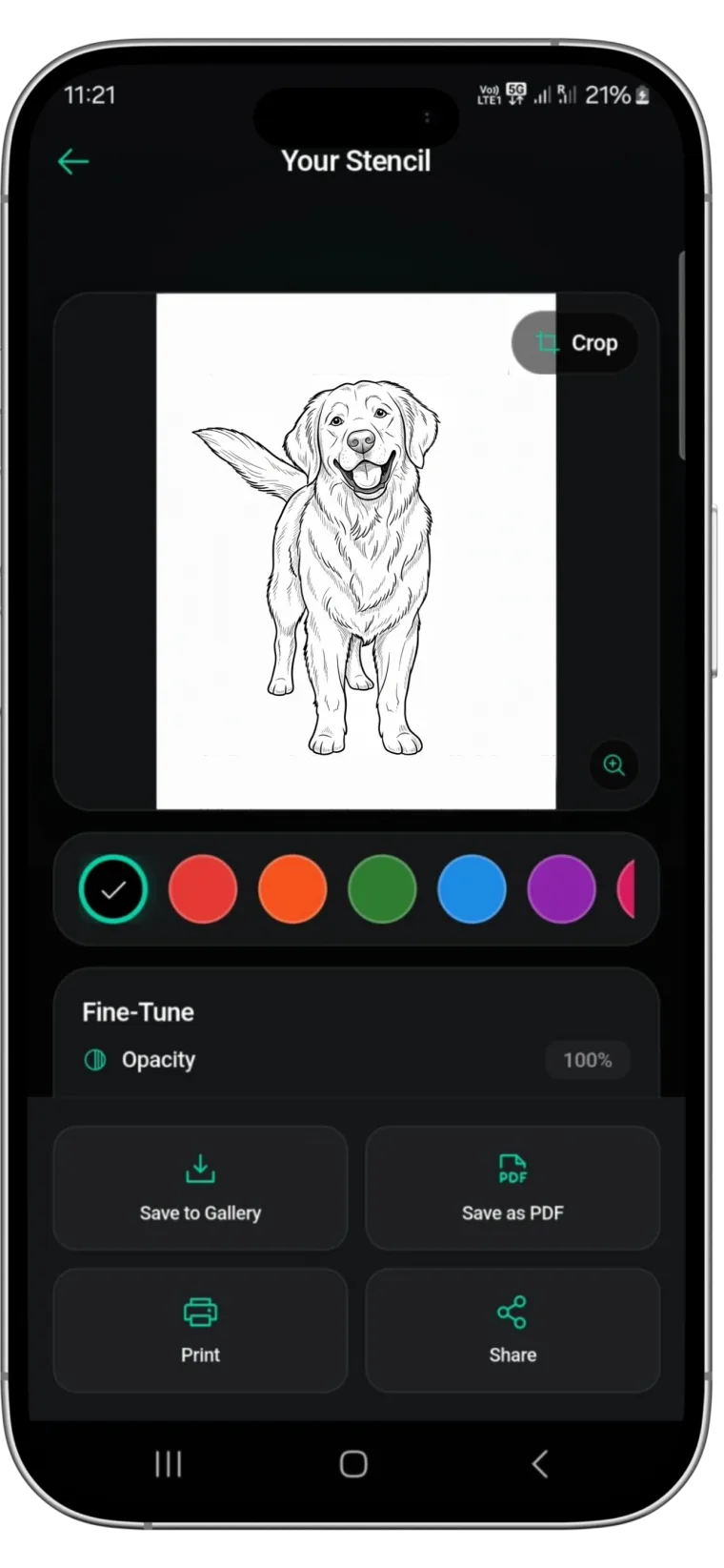
For artists seeking to reclaim their time without sacrificing quality, Stencify offers a robust solution. Designed specifically for the needs of the industry, this tattoo stencil app automates the complex filtering processes that usually take hours to master in photo editing software. It intelligently detects edges and handles contrast to produce clean, printable guides from any source image. With Stencify, you can adjust detail levels to suit your style, whether you need bold traditional lines or subtle realism guides. It is the ultimate utility for the professional who wants to focus on art, not administration.
Ready to streamline your studio workflow? Get Stencify on the App Store and start every session with a perfect guide.
Related reading
- Precision in Contrast - the foundation of a lasting stencil tattoo
- Streamlining the Transfer - optimizing reference photos for thermal printers
- Refining the Chaos - essential techniques for clean line work
Your studio workflow, optimized
Stencify automates complex filtering to produce clean, printable guides from any source image. Adjust detail levels to suit your style and save hours of prep time.