Best Tattoo Stencil Printers: What to Buy in 2026
• by DND Applications • 9 min read
A tattoo stencil printer turns a digital design into a transfer-ready stencil in under a minute, with no hand tracing. Choosing one is mostly about four decisions: thermal or inkjet, how it connects to your phone or tablet, what paper size it takes, and how much you want to spend. This guide walks through each decision, lists the printers artists most often end up with, and finishes with the exact steps to print a stencil from a phone.
How a stencil printer works
Nearly every stencil printer sold to tattoo artists is a thermal printer. It has no ink. A heated print head passes over thermal stencil paper and transfers the purple carbon layer wherever the design is dark. The result is the same purple stencil you would get by hand tracing on hectograph paper, but with perfectly even line weight and no missed strokes.
The second route is an inkjet printer loaded with stencil ink, usually an Epson EcoTank with its tanks filled with skin-safe stencil ink, printing onto inkjet-specific stencil paper. It is a niche setup, but artists doing realism like it for smooth grey transitions.
Older studios may still run a thermal copier (often called a thermofax). It needs a printed master and copies it onto stencil paper. It works, but it is slower, bulkier, and does not connect to a phone, so new buyers rarely choose one.
What to look for
| Decision | What matters | Our take |
|---|---|---|
| Thermal or inkjet | Thermal: no ink, standard purple stencil, fast. Inkjet: smoother greys, needs stencil ink and special paper. | Thermal for almost everyone. Inkjet only if you already work in soft realism and want greys. |
| Connection | Bluetooth or Wi-Fi lets you print from a phone or tablet. USB-only models need a laptop. | Bluetooth or Wi-Fi. Stencil work happens on the phone now. |
| Paper size | A4 or letter prints full-size pieces and tiles larger ones. Narrow roll printers cap your design width. | A4 or letter unless you only do small work. |
| Resolution | Most thermal heads are 203 dpi; some are 300 dpi. Higher is sharper on fine detail. | 203 dpi is fine for most styles. Fine line and micro realism benefit from 300 dpi. |
| Power | Battery models travel to conventions and guest spots. Mains-only models stay on the desk. | Battery if you travel. Otherwise it does not matter. |
| Paper handling | Some printers jam on the four-layer stencil sheets if you leave the tissue in. Rolls avoid this but cost more per stencil. | Sheets are cheaper. Learn to strip the tissue layer and feed carefully. |
The printers artists actually buy
These are the names that come up repeatedly in artist forums, supply shop comparisons and reviews. Prices move, so check current listings, and buy from a seller who will take a return if the first stencil comes out faint.
Phomemo M08F and similar portable thermal printers
The most recommended entry point. A compact A4 thermal printer with Bluetooth, a battery, and a phone app, usually well under the price of the studio brands. Print quality is good at 203 dpi, it handles standard thermal stencil sheets, and it is light enough to carry to a guest spot. The main complaints are plastic build and occasional paper feed fiddliness. If you are an apprentice or doing your first year of stencils from a phone, start here.
Brother PocketJet series
The long-standing professional choice. Brother's PocketJet printers were built for mobile business printing, which happens to be exactly what a stencil needs: A4 or letter width, reliable paper handling, Bluetooth on the higher models, and years of life. They cost more than the consumer brands, and you may need to tune darkness settings for stencil paper, but studios that own one tend to keep it for a decade. A used PocketJet is often the best value on this list.
Tattoo-specific thermal printers (Elite Pocket, Ozer, Dragonhawk, OG and others)
Several tattoo supply brands sell rebadged or purpose-built thermal printers with stencil paper in mind: pre-set darkness levels, A4 trays, Bluetooth and Wi-Fi, sometimes 300 dpi heads. Quality varies by brand more than by category, so read recent reviews for the exact model. The advantage is that the seller understands stencils and the support will too. The Elite Pocket S series in particular gets consistent praise for realism work.
Epson EcoTank with stencil ink
Not a stencil printer out of the box. You buy an EcoTank, fill the tanks with stencil ink instead of standard ink, and print onto inkjet stencil paper. The reward is smooth tonal transfers that thermal cannot match. The cost is a printer dedicated to stencils forever, ink and paper that only a few suppliers sell, and a learning curve on settings. Worth it for high-end realism studios, not for most artists.
How to print a tattoo stencil from your phone
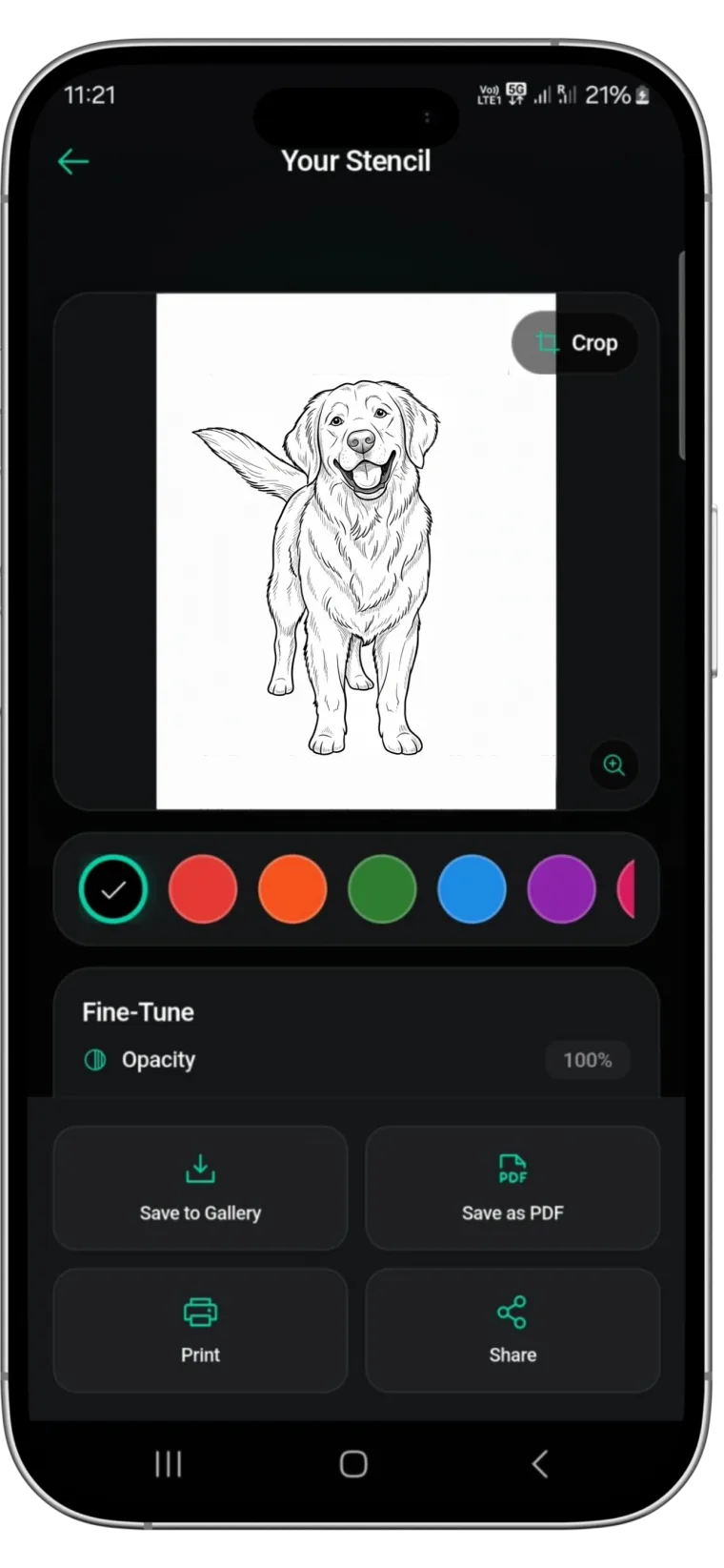
- Make clean line work first. The printer reproduces exactly what you send. Grey tones, photo texture and faint lines all transfer badly. Convert the reference to solid black lines in a stencil app; Stencify does this in about 30 seconds and lets you set line weight.
- Size the design to the body. Measure the placement and set the stencil to that size before exporting. A design that looks right on screen is often the wrong size on skin.
- Export a PDF sized for your paper. A4 or letter, with the design at actual size, no "fit to page" scaling.
- Prepare the paper. Take one thermal stencil sheet, remove and discard the thin protective tissue, and keep the white top sheet, carbon and backing together.
- Load it the right way round. Each printer has a diagram, usually white sheet toward the print head. Feeding it backwards wastes a sheet.
- Print from the printer's app or the phone print dialog. If lines come out faint, raise the darkness or density setting and print again.
- Peel the white sheet away. The purple design on its back is the stencil. Apply it with stencil solution as described in our transfer paper guide.
Common printer problems and fixes
- Blank or very faint stencil. The protective tissue was left on, the sheet is backwards, or darkness is too low.
- Lines break up. Line work is too thin for a 203 dpi head. Thicken lines in the app before printing.
- Grey smudges in the stencil. The design still has shading. Convert it fully to line work.
- Paper jams. The four-layer sheet caught on entry. Feed it straight, one sheet at a time, and keep the tray clean of carbon dust.
- Printer not found on the phone. Use the printer's own app rather than the generic print dialog, and forget and re-pair the Bluetooth connection.
Printer or no printer: what matters more
A printer saves time and gives even lines. It does not decide whether the stencil is good. That is decided before printing, by how the reference is converted into line work: which edges survive, how thick the main lines are, and whether the design is the right size for the placement. Stencify handles that step from a photo or sketch and exports a PDF sized for stencil paper, so whichever printer you choose, what comes out is built to transfer. It runs on iPhone, iPad and Android: get Stencify on the App Store or on Google Play.
Frequently asked questions
Do I need a special printer for tattoo stencils?
You need either a thermal stencil printer, which burns the design onto thermal stencil paper, or an inkjet set up with stencil ink and inkjet stencil paper. A normal office printer with normal ink will not transfer to skin.
Can I print a tattoo stencil from my phone?
Yes. Most current thermal stencil printers connect over Bluetooth or Wi-Fi and have a companion app, or accept a PDF through the phone's print dialog. Make the line work in a stencil app, export a PDF sized for your paper, and print.
What size tattoo stencil printer do I need?
A4 or US letter covers almost all work and lets you print large pieces across two sheets. Compact models that take narrower rolls are fine for small and medium designs but limit you on sleeves and back pieces.
Is a thermal or inkjet stencil printer better?
Thermal is the studio standard: no ink to buy, purple carbon lines, and fast. Inkjet with stencil ink gives smoother greys and very fine lines but needs a dedicated printer, special ink, and inkjet-specific stencil paper.
Related reading
- Tattoo Stencil Paper: Thermal vs Hectograph - which paper works with which printer
- How to Use Tattoo Transfer Paper - applying the printed stencil to skin
- How to Make a Tattoo Stencil - three methods, with and without a printer
- Optimizing Reference Photos for Thermal Printers - getting a photo ready to print
The stencil is the part the printer cannot fix
Stencify turns a photo or sketch into clean, print-ready line work sized for stencil paper, then sends it straight to your printer.