AI Tattoo Generator vs Stencil Maker, and Why You Need Both
• by DND Applications • 7 min read
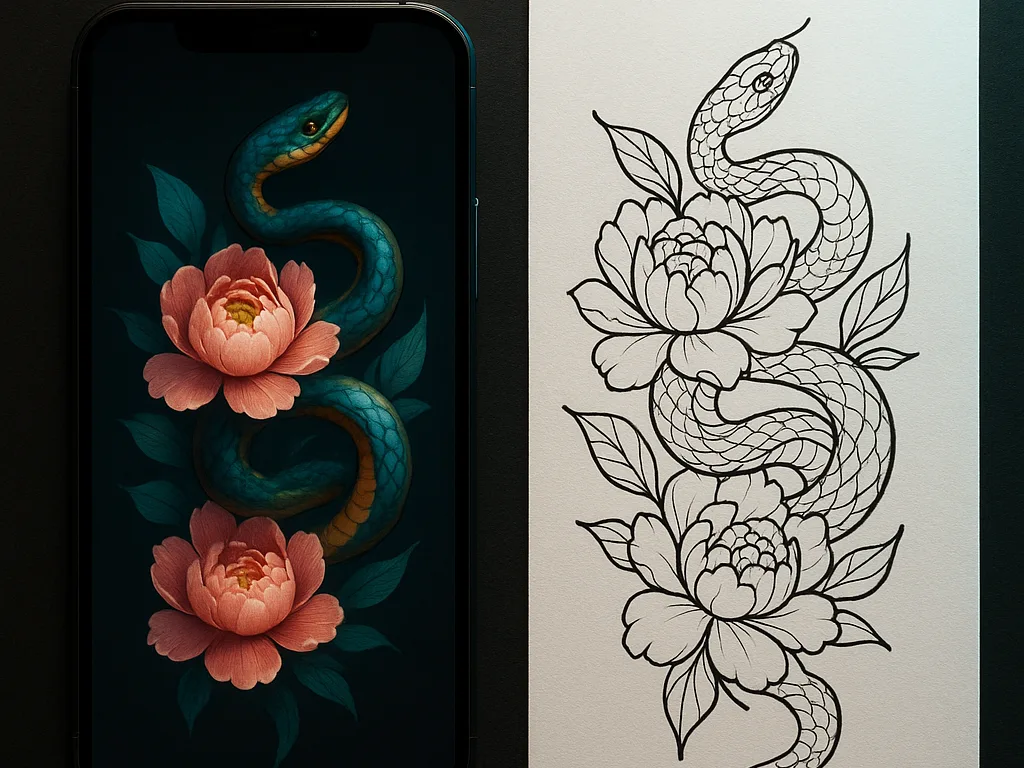
Type "fine-line snake wrapped around peonies" into an AI tattoo generator and you get a picture in seconds. It is colourful, shaded, and looks finished. It is also, as it stands, impossible to tattoo. A generator makes an image; a tattoo needs a stencil, which is a different thing: clean lines at real size that a needle can follow. Most people searching for a generator do not know that gap exists until they bring the picture to a studio. This guide explains what each tool does, where generators stop, and the path that gets you from a text idea to a stencil on skin.
Key takeaways
- A generator answers "what should it look like". A stencil maker answers "where does the needle go". Both are needed and they are not the same step.
- Generated images are full of shading and texture a stencil must remove. Conversion is a reduction, not a filter.
- Size the result to the body and try it on before printing. Generators have no idea how big your forearm is.
- Stencify does both steps in one app: generate from text, edit by typing, convert to line work, try on, print.
What an AI tattoo generator does
A generator takes a written prompt and produces an image in a tattoo style. It is good at ideas: five versions of a concept in a minute, styles the client did not know how to name, compositions nobody would have sketched by hand. For a client who arrives with only words, it turns the conversation into pictures fast. That is real value, and it is where the generator's job ends.
Where a generator stops
The output is a rendered picture. It has shading, gradients, colour fills, texture and often a background. None of that is a stencil. A stencil is line work only: outlines where the needle goes, and nothing where the artist will shade by hand. A generated image also has no physical size; it is a grid of pixels that could be two centimetres or twenty. And generators are famous for small anatomical and structural errors, such as a snake with two heads where the body crosses, that look fine at a glance and wrong on skin forever.
What a stencil maker does
A stencil maker takes an image, generated or photographed or drawn, and reduces it to clean, transfer-ready line work. It finds the edges that matter, drops the shading, lets the artist set line weight and contrast, sizes the result to the body, and exports a file for stencil paper. It is the step that makes the picture tattooable. It is also where the generator's mistakes get caught, because a two-headed snake is obvious once it is nothing but outline.
The path from idea to stencil
- Generate. Describe the design in a sentence. Look at a few versions and pick the composition, not the rendering.
- Edit. Fix what is wrong by typing: "remove the background", "simplify the leaves", "one head". In Stencify the edit is a text prompt, not a redraw.
- Convert. Turn the picture into stencil line work. Set line weight for the style, bolder for traditional, finer for fine line, and raise contrast until only the needed lines remain.
- Try on. Place the stencil on a body model or a photo of the client at the measured size, as covered in our tattoo try-on guide. This is where "it looked smaller" gets caught.
- Print. Export a PDF sized for stencil paper and print at 100%.
Why separate apps make this harder
Doing this with a generator website and a separate stencil tool means exporting, importing, losing resolution, and sizing twice. The generated file arrives at the stencil tool as a flat image with no idea of the body it is for. Doing it in one app keeps the size, the edits and the stencil together, so the design the client approved in the try-on is the file that prints.
One app for both jobs
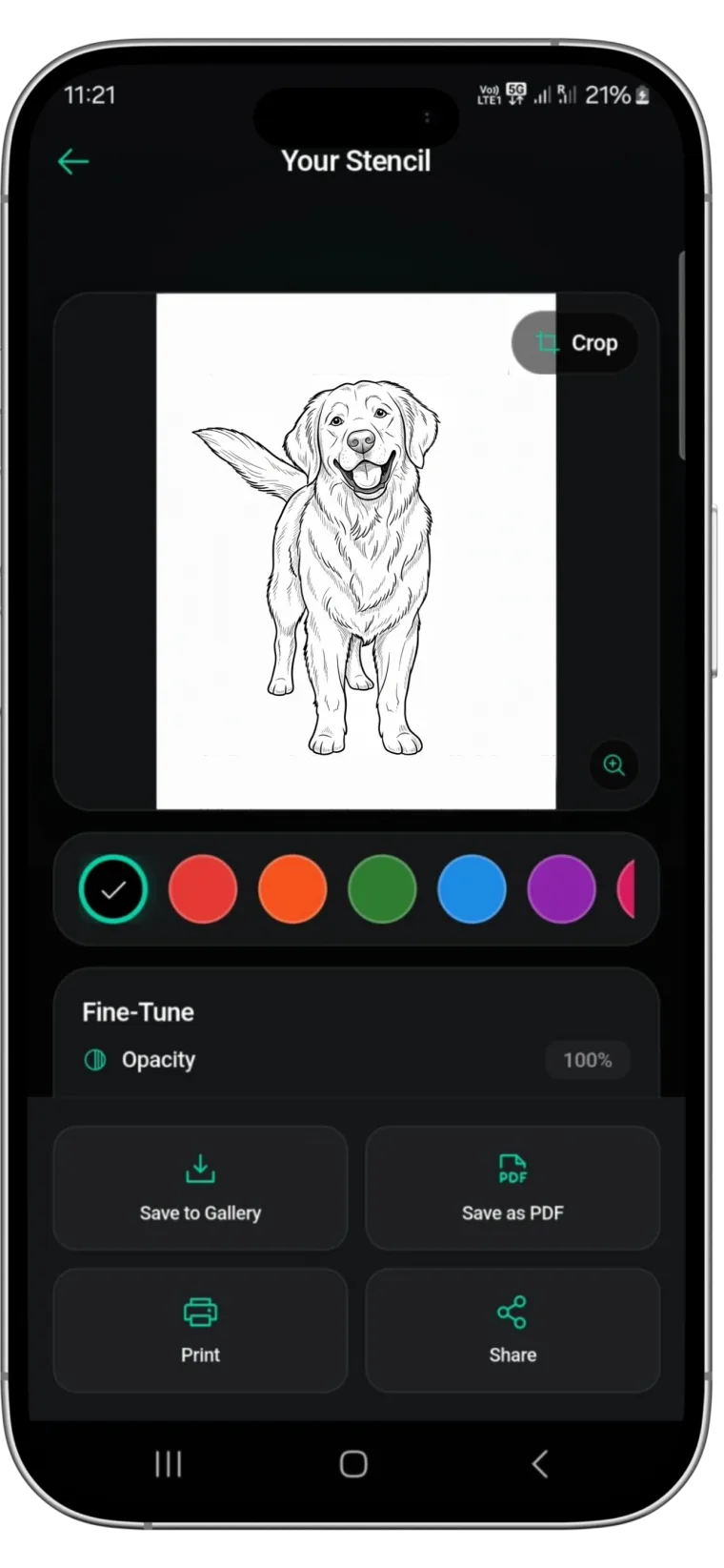
Stencify generates a design from a text description, edits it by typing a change, converts it into clean stencil line work with line weight and contrast control, previews it on a body model or your client's photo, and exports a PNG or PDF sized for stencil paper. It runs on iPhone, iPad and Android, and the first two uses are free: get Stencify on the App Store or on Google Play.
Frequently asked questions
Can I tattoo an AI-generated design directly?
Not as generated. The image has shading, colour and texture a stencil cannot carry, and no physical size. Convert it into line work, size it to the body and check it before printing.
What is the difference between an AI tattoo generator and a stencil maker?
A generator invents the picture from a text prompt. A stencil maker reduces a picture, generated or photographed, into clean lines at real size that a needle can follow.
Do tattoo artists use AI generators?
Some use them for ideation with clients who arrive with only words. The design still goes through line work, sizing and a stencil before it reaches skin.
Does Stencify generate tattoo designs?
Yes. Stencify generates a design from a text description, edits it by typing, converts it into a stencil, previews it on skin and exports it for stencil paper, all in one app.
Related reading
- Best Tattoo Design Apps for Artists - the wider toolkit, including generators
- Tattoo Try-On - the step between the picture and the print
- How to Make a Tattoo Stencil From a Picture - converting any image into line work
- Tattoo Stencil Designs - what finished stencil line work looks like
From text idea to printed stencil in one app
Stencify generates a design from a description, lets you edit it by typing, tries it on skin and exports the stencil.