The Science of Simplification: Creating the Perfect Tattoo Stencil from Complex References
• by DND Applications • 6 min read

Every professional artist knows the sinking feeling that accompanies a specific client request. They walk in with a reference photo on their phone that is low contrast, poorly lit, or cluttered with background noise, yet they want it transformed into a clean, crisp piece of art. The challenge lies not in the tattooing itself but in the preparation phase. Transforming a muddy photograph into a clean line drawing is the unspoken backbone of the industry. It requires an eye for hierarchy and the ability to strip away the unnecessary to reveal the essential structure of the subject.
The Philosophy of Line Weight and Negative Space
A durable stencil for tattoo application is about more than just tracing outlines. It is about translation. When you look at a realistic photograph, you see millions of colors and gradients. A thermal printer, however, sees only binary black and white. If an artist attempts to capture every detail without simplification, the resulting stencil becomes a purple blotch that is impossible to follow once the needle hits the skin. The goal is to interpret the image rather than copy it blindly. You must decide which shadows become solid black, which become stippling, and which must remain open skin to allow the design to breathe. Mastering this balance is what separates a novice from a seasoned tattoo stencil creator.
Overcoming the Carbon Transfer Limitations
The mechanics of stencil paper are unforgiving. If your line work is too dense, the carbon will bleed together during the transfer, leaving you with a messy guide that wipes away after the first few passes of Green Soap. To create a reliable stencil tattoo, you must enhance the contrast of the source image significantly before drawing or printing. This process often involves mentally or digitally separating the foreground from the background and increasing the brightness of the mid-tones. By reducing the noise in the image, you ensure that the thermal copier only picks up the intentional lines, resulting in a guide that stays precise throughout the entire session.
From Photo to Line Work: The Modern Workflow
Historically, this simplification process meant hours over a light box, redrawing a design three or four times to get the line weight correct. Today, the demand for high-volume work requires a more efficient approach. Whether you are a traditionalist or a digital native, the need to convert image to tattoo stencil formats quickly is universal. The modern artist needs tools that understand the difference between a hard edge and a soft shadow. A high-quality tattoo stencil maker helps bridge the gap between a complex photograph and a ready-to-print line drawing, allowing the artist to focus on their craft rather than the tedious logistics of preparation.
Streamlining Your Process with Stencify
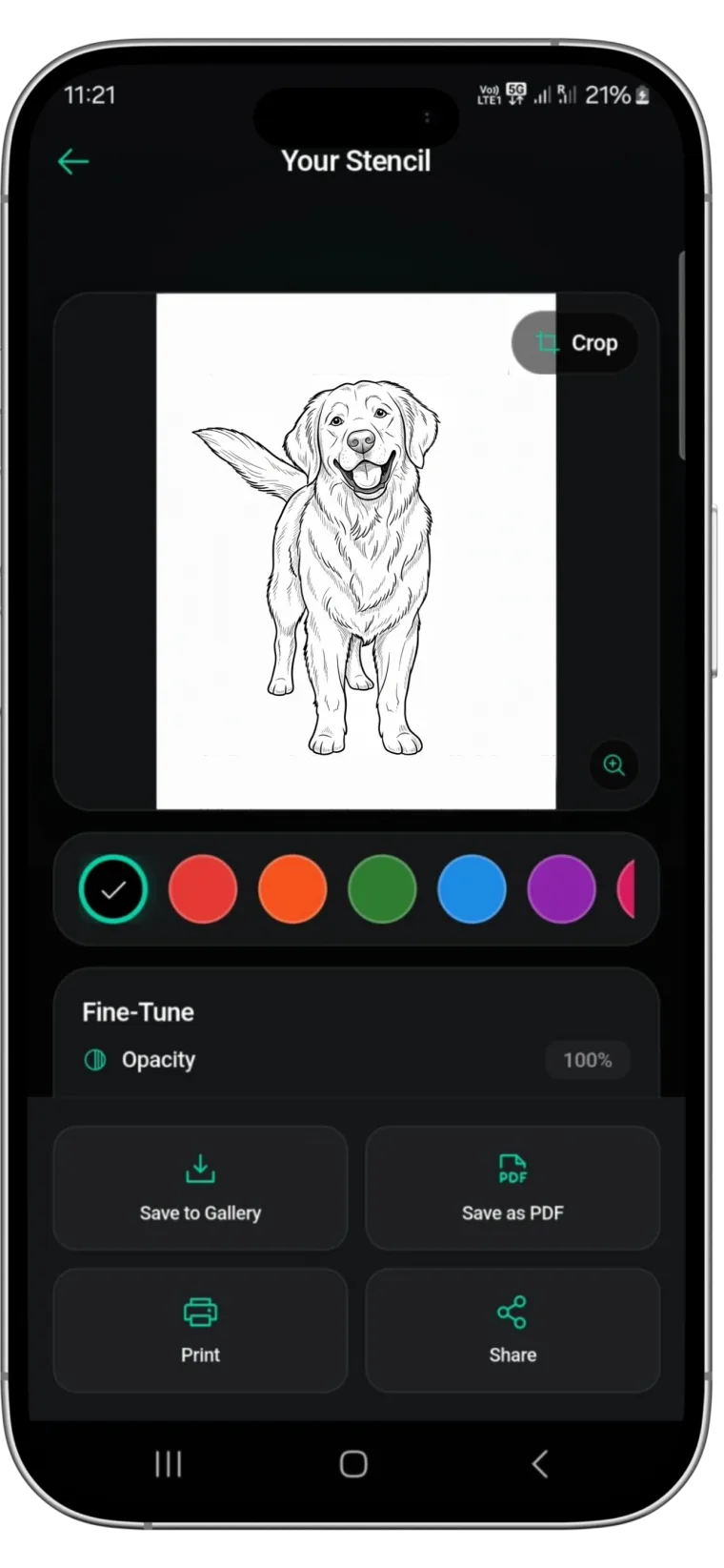
While the artistic eye is irreplaceable, leveraging technology can drastically reduce your prep time. This is where a dedicated tattoo stencil app becomes a vital part of your toolkit. Stencify is designed specifically for artists who need to turn complex photos into clean, transferable stencils in seconds. It utilizes advanced edge-detection algorithms to replicate the simplification process of a skilled artist, offering you control over line thickness and detail density. Instead of battling with contrast settings in standard photo editors, you can use Stencify as your primary tattoo stencil creator to generate print-ready designs instantly. It respects the need for negative space and clear linework, ensuring your stencil holds up from the first dip of ink to the final wipe.
Ready to simplify your stencil workflow? Get Stencify on the App Store and turn complex references into clean transfers in seconds.
Related reading
- From Photo to Linework - extract clean stencils from complex references
- Contrast and Line Weight - build stencils that last the entire session
- The Foundation of a Flawless Stencil - mastering contrast and line weight fundamentals
Complex photo? Clean stencil in seconds.
Stencify uses edge-detection algorithms built for tattoo artists. Turn cluttered references into precise, print-ready transfers without the manual redraw.