Tattoo stencil app for Android, installed from Google Play.
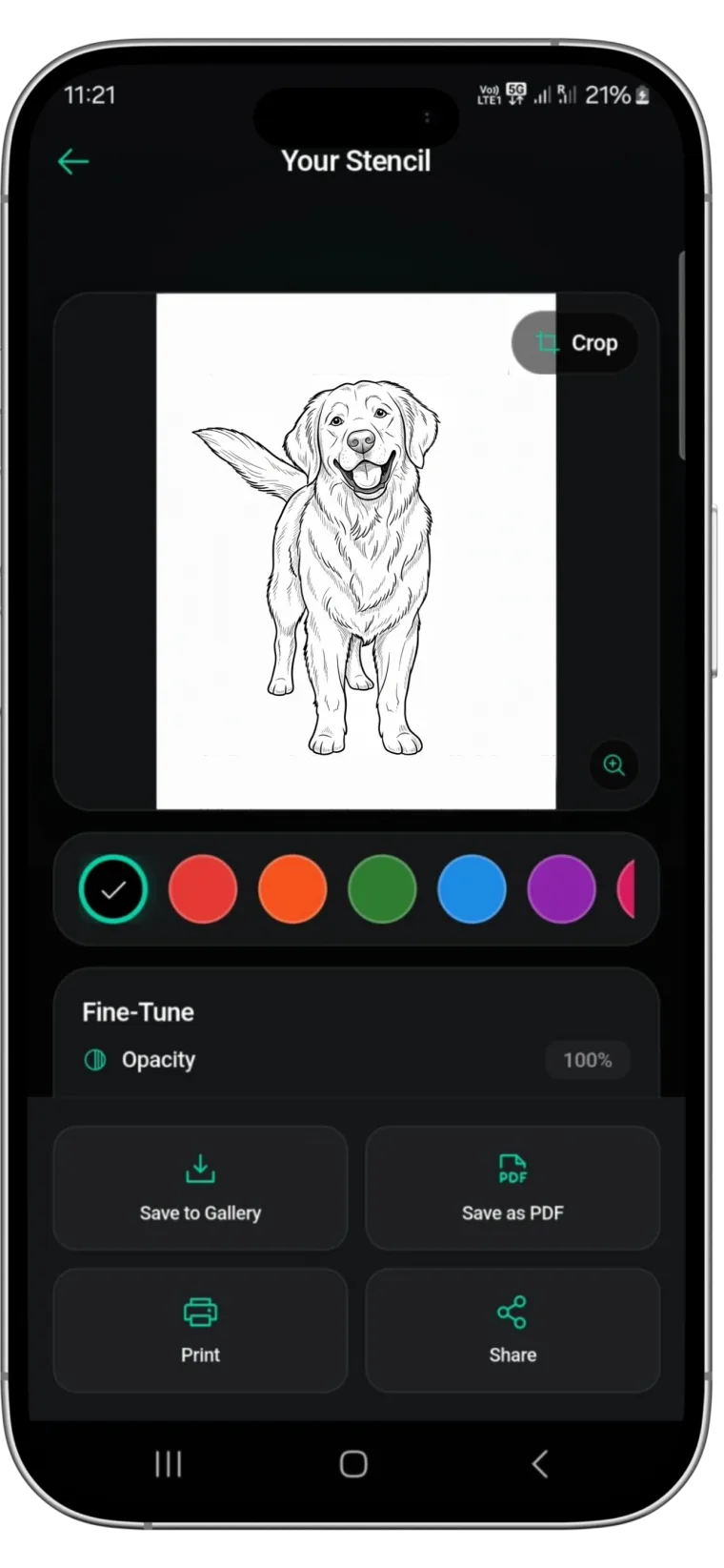
Stencify is a native Android app. Turn a photo, sketch or text description into clean stencil linework in about 30 seconds, then export a PNG or PDF for A4 or US Letter and print it.


Rated 4.8 on the App Store · Android, iPhone and iPad
Two free uses, then $4.99 a week or $47.99 a year (US). See pricing
A stencil app that is not Apple-only
If you work on an Android phone, the choice of stencil apps is smaller. Several popular ones, including Ghostline, TattStencil and Tattoo Stencil Pro at the time of checking, are only available for iPhone and iPad. Others run in a browser, which works on Android but is not a native app. Our app comparisons list the platforms for each.
Stencify is built for both. On Android you get the same core tools as on iPhone:
- Conversion from a photo, screenshot, photographed sketch or text description in about 30 seconds.
- Four shading styles (Classic, Stipple, Crosshatch, Broken Lines) and line weight and contrast controls for bold, fine-line and detailed work.
- Edits by text prompt, such as “remove the background” or “simplify the hair”.
- AI try-on on a body model or on a photo of the client, where you can choose the body part (such as arm, hand, leg or ankle) or leave it on Auto. Your stencil colour carries into the try-on.
- Place It Myself: drag, pinch and rotate the stencil on a photo yourself, with a colour wheel, without using a free try.
- Printing at the exact size you set in cm or inches, with a ruler on each page; large pieces across several pages; PNG, PDF and HD (4K) export.
Getting references onto your Android phone
Stencify picks images from your phone’s gallery. Screenshots, downloaded images and photos of drawings all work.
Save the full image, not a preview
When a client sends a reference in a messaging app, open it and save it to the gallery at full size. Thumbnails and compressed previews lose fine lines.
Crop first
Use your gallery’s editor to crop away captions, buttons and borders before converting. The converter then focuses on the design itself.
Shoot sketches flat
Photograph paper drawings from directly above in even daylight. Shadows and a tilted page show up as stray lines.
Pricing on Google Play
Stencify is free to install with two free uses. After that you choose a weekly or yearly subscription, billed through Google Play in your local currency. In the US the plans are $4.99 a week or $47.99 a year. You can cancel any time from your Google Play subscriptions. The pricing page has the details.
Android questions
Is Stencify available on Google Play?⌄
Yes. Search for “Stencify: Tattoo Stencil Maker” on Google Play, or use the download button on this page.
How much does Stencify cost on Android?⌄
You get two free uses. After that you choose a weekly or yearly plan. In the US that is $4.99 a week or $47.99 a year; Google Play shows the price in your local currency.
Is the Android version different from the iPhone version?⌄
The core tools are the same: conversion from a photo, sketch or text, four shading styles, line weight and contrast, one-tap and text prompt edits, the eraser with restore brush, AI try-on, Place It Myself, and exact-size printing in cm or inches. Android currently also lets you choose the body part when you try a stencil on your own photo.
Can I print a stencil from an Android phone?⌄
Yes, if your printer accepts prints from Android. Otherwise share the PDF to the printer’s app or to a computer and print it at 100% scale.
Why are some tattoo stencil apps not on Android?⌄
Some developers only build for Apple devices. At the time of checking, Ghostline, TattStencil and Tattoo Stencil Pro were Apple-only. The app comparisons list platforms for each app.
Get Stencify on Google Play
Install it on your Android phone, convert your next reference, and print clean linework in about 30 seconds.
Available on iPhone, iPad and Android
