Tattoo stencil app for iPad, with room to check every line.
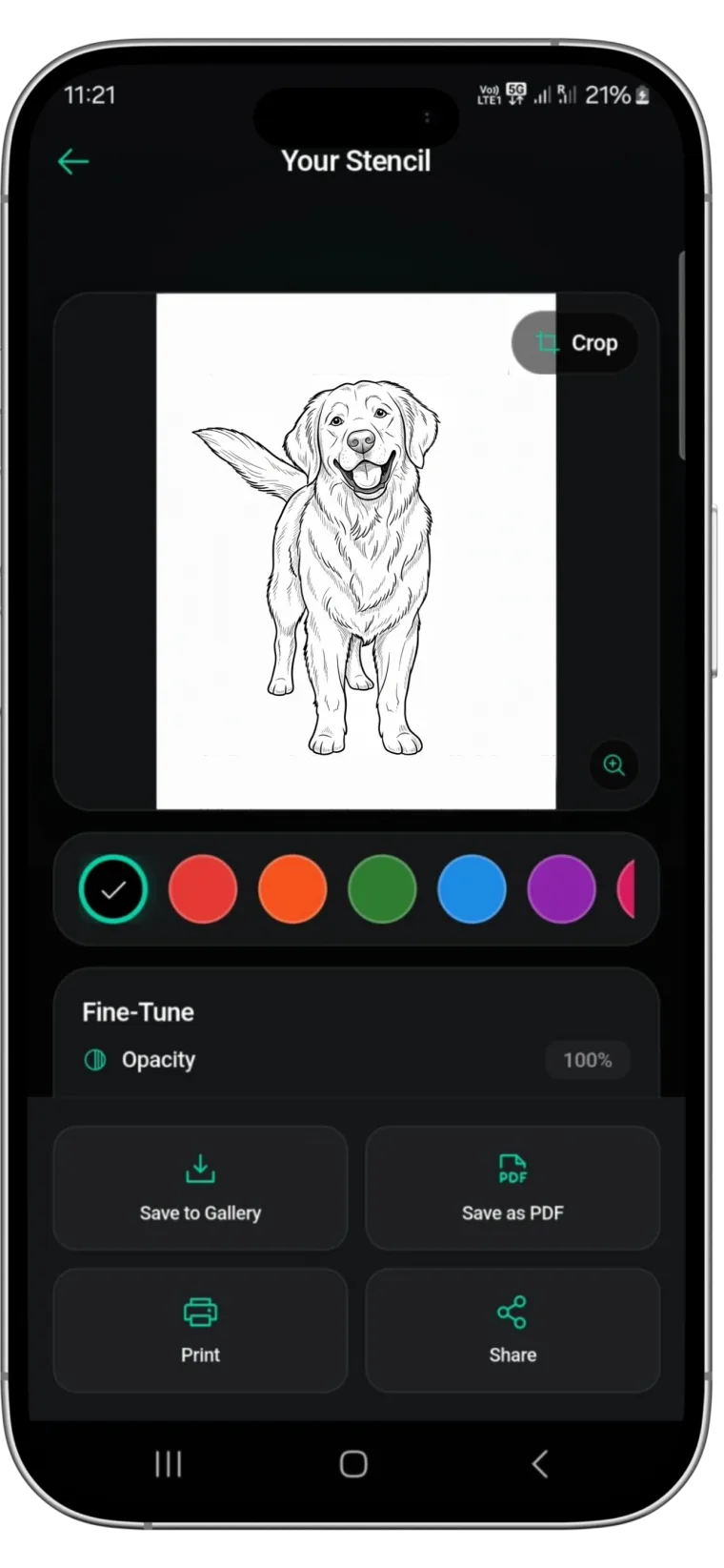
Stencify runs on iPad as well as iPhone. Convert a photo, sketch or text description into stencil linework in about 30 seconds, review it on the larger screen, and export a PDF for A4 or US Letter.


Rated 4.8 on the App Store · iPad and iPhone
Two free uses, then $4.99 a week or $47.99 a year (US). See pricing
Why use an iPad for stencils
The app and its features are the same as on iPhone. What changes is the screen. On a phone, fine linework is small enough that a stray line or a gap in an outline can slip through to the printer. On an iPad you see the stencil closer to the size it will be on skin, so you catch those problems before you waste transfer paper.
If an iPad already sits at your station, the next client’s stencil can be ready on the same device you show designs on.
A typical workflow at the station
-
01
Bring the reference across
AirDrop the client’s reference from your phone, or save it from email or messages into Photos on the iPad.
-
02
Convert and review large
Convert the image, then check outlines and interior lines at full screen. Adjust line weight and contrast until the stencil reads cleanly.
-
03
Make changes in words
Type an edit such as “thinner lines on the petals” or “remove the text” instead of erasing by hand.
-
04
Export and print
Set the size in cm or inches and print it on your thermal or inkjet printer. A ruler on each page shows it came out at the right size.
Showing designs to clients on a bigger screen
A client can hold an iPad and actually see the linework. That makes it easier to agree on detail level: whether the background stays, how dense the shading lines are, whether lettering is large enough to read once healed.
AI try-on is especially useful here. Take a photo of the placement, preview the design on it, and look at it together on the iPad. If the size looks wrong, change it before printing rather than after the stencil is on the skin.
Printing from iPad
Export a PNG or PDF. The PDF keeps the A4 or US Letter page size and is the better choice for accurate scale. Set the size in centimetres or inches and check it against the ruler printed on each page; sleeves and back pieces print across several labelled, overlapping pages.
Direct printing
If your printer accepts prints from an iPad, print from the share sheet at 100%. Turn off any “fit to page” option.
Thermal printer apps and computers
Many thermal stencil printers use a companion app or a computer connection. Open the exported PDF in that app, or send it to the computer and print from there.
Keep a stencil archive
Save PDFs in Files with the client name and date for quick reprints.
For printer settings, read how to size and print a tattoo stencil.
Stencify and drawing apps
Stencify does not replace a drawing app, and it does not depend on an Apple Pencil. If you draw custom designs in a drawing app, export the finished sketch as an image and convert it in Stencify to get clean, printable linework. The Procreate stencil guide explains that route step by step.
One subscription for iPad and iPhone
Stencify is free to install with two free uses. After that it is $4.99 a week or $47.99 a year on the US App Store. Using the same Apple ID on iPad and iPhone means you pay once and work on either device. Details are on the pricing page.
iPad questions
Is Stencify on iPad the same app as on iPhone?⌄
Yes. It is one App Store app that runs on both, with the same tools: conversion, line weight and contrast, text prompt edits, AI try-on and PNG or PDF export.
Do I have to pay again to use it on iPad?⌄
No. Sign in with the same Apple ID on both devices and your subscription covers iPhone and iPad. Restore purchases from the app if it does not appear straight away.
Do I need an Apple Pencil?⌄
No. Stencify is not a drawing app. You choose an image, adjust it with controls and text prompts, and export. If you sketch in a drawing app, export the sketch as an image and convert it.
Can I print from the iPad?⌄
Yes, if your printer accepts prints from an iPad. Thermal stencil printers that use their own app or a computer can print the exported PDF too. Always print at 100% scale.
Is it free to try on iPad?⌄
You get two free uses. After that it is $4.99 a week or $47.99 a year in the US. See the pricing page.
Put the stencil on the big screen
Install Stencify on your iPad, convert your next reference, and check every line before it reaches the printer.
Available on iPhone, iPad and Android
