Tattoo stencil app for PC: how Stencify works with a computer.
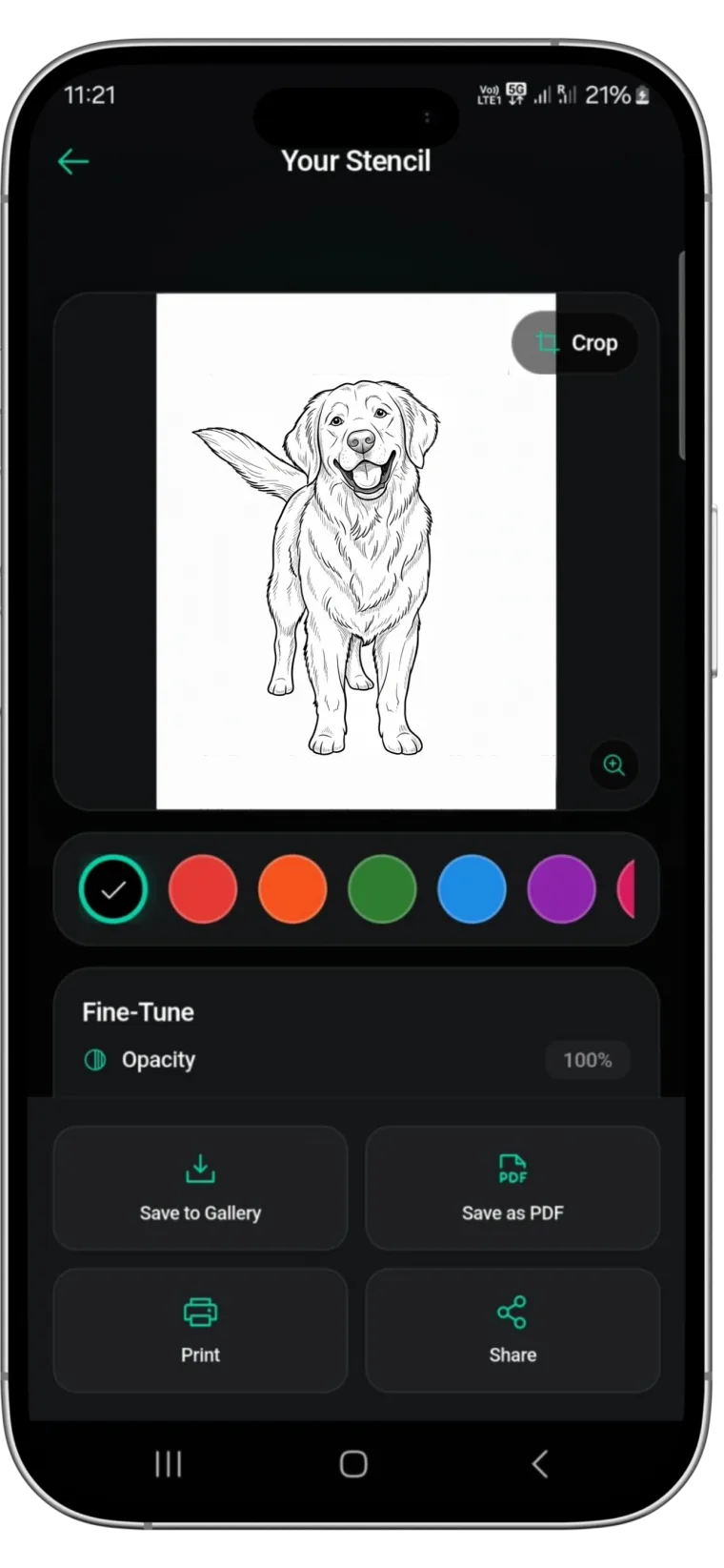
Stencify has no Windows, Mac or web version. It runs on iPhone, iPad and Android. Many studios still print from a computer, and that works well: make the stencil on your phone, send the PDF across, and print it from the PC.


Rated 4.8 on the App Store · iPhone, iPad and Android
Two free uses, then $4.99 a week or $47.99 a year (US). See pricing
Is there a Stencify desktop app?
No. Stencify is a mobile app for iPhone, iPad and Android, and there is no desktop or browser version. If you find a download that claims to be Stencify for Windows or Mac, it is not from us. The only official sources are the App Store and Google Play.
That does not mean you have to give up your computer. In most studios the computer is the print station: it is connected to the thermal printer, and it is where print settings are easiest to control. Stencify fits that setup. The phone or tablet does the stencil work, and the computer does the printing.
The phone to PC workflow
-
01
Make the stencil on your phone or tablet
Convert a photo, sketch or text description in Stencify. Adjust line weight and contrast, and edit with a text prompt if needed.
-
02
Export a PDF
Choose PDF and the paper size your printer uses, A4 or US Letter. The PDF keeps that page size, which is what you need for accurate scale.
-
03
Send it to the computer
Email it to yourself, AirDrop it to a Mac, save it to a cloud drive such as iCloud Drive, Google Drive or Dropbox, or copy it over a USB cable.
-
04
Print at 100% from the PC
Open the PDF on the computer and print to your thermal or inkjet printer at 100% or “actual size”.
A synced cloud folder named “Stencils to print” keeps the round trip short on a busy day.
Print settings that matter on a computer
Scale: 100%, not fit to page
Most PDF viewers default to shrinking a page to fit the printable area. That changes the size of the stencil by a few percent, which is enough to throw off lettering or a placement agreed with the client. Choose 100% or “actual size”.
Paper size matches the export
If you exported for US Letter, select US Letter in the print dialog. Mixing A4 and Letter is the most common reason a stencil comes out slightly off.
Thermal or inkjet
Thermal stencil printers print straight onto thermal transfer paper with their own driver. With an inkjet, print onto inkjet-compatible stencil paper. Our stencil printer guide compares both.
Check with a ruler
Before transferring, measure one known dimension on the printout. It takes seconds and catches scaling problems before they reach the skin.
The full checklist is in how to size and print a tattoo stencil.
Which device to make stencils on
Any of the three works with a computer. An iPhone is quickest at consults because the client’s reference is usually already on it. An iPad gives you a larger screen to check linework and show the client. An Android phone uses the same tools and shares files to a PC easily over USB or Google Drive.
Pricing is the same whichever device you use: two free uses, then $4.99 a week or $47.99 a year in the US. See the pricing page.
PC and Mac questions
Is there a Stencify app for Windows?⌄
No. Stencify runs on iPhone, iPad and Android only. You make the stencil on your phone or tablet and print the exported PDF from your Windows PC.
Can I use Stencify on a Mac?⌄
There is no Mac version. Make the stencil on your iPhone or iPad, AirDrop the PDF to your Mac, and print it from there at 100% scale.
Is there a web version of Stencify?⌄
No. There is no browser version. The app is available on the App Store for iPhone and iPad and on Google Play for Android.
How do I get the stencil from my phone to my computer?⌄
Export a PDF in the app, then send it by email, AirDrop, a cloud drive such as iCloud Drive, Google Drive or Dropbox, or a USB cable.
Will the stencil print at the right size from a PC?⌄
Yes, if you print the PDF at 100% or “actual size” with the matching paper size selected. Turn off “fit to page”, and check one measurement with a ruler before transferring.
Make it on your phone, print it from your PC
Install Stencify on iPhone, iPad or Android, export a PDF, and print it from the computer you already use.
Available on iPhone, iPad and Android
