Tattoo stencil app for iPhone, from camera roll to printer.
Stencify turns a photo, a sketch or a short text description into clean stencil linework on your iPhone in about 30 seconds. Export a PNG or PDF for A4 or US Letter and print it on a thermal or inkjet printer.


Rated 4.8 on the App Store · iPhone and iPad
Two free uses, then $4.99 a week or $47.99 a year (US). See pricing
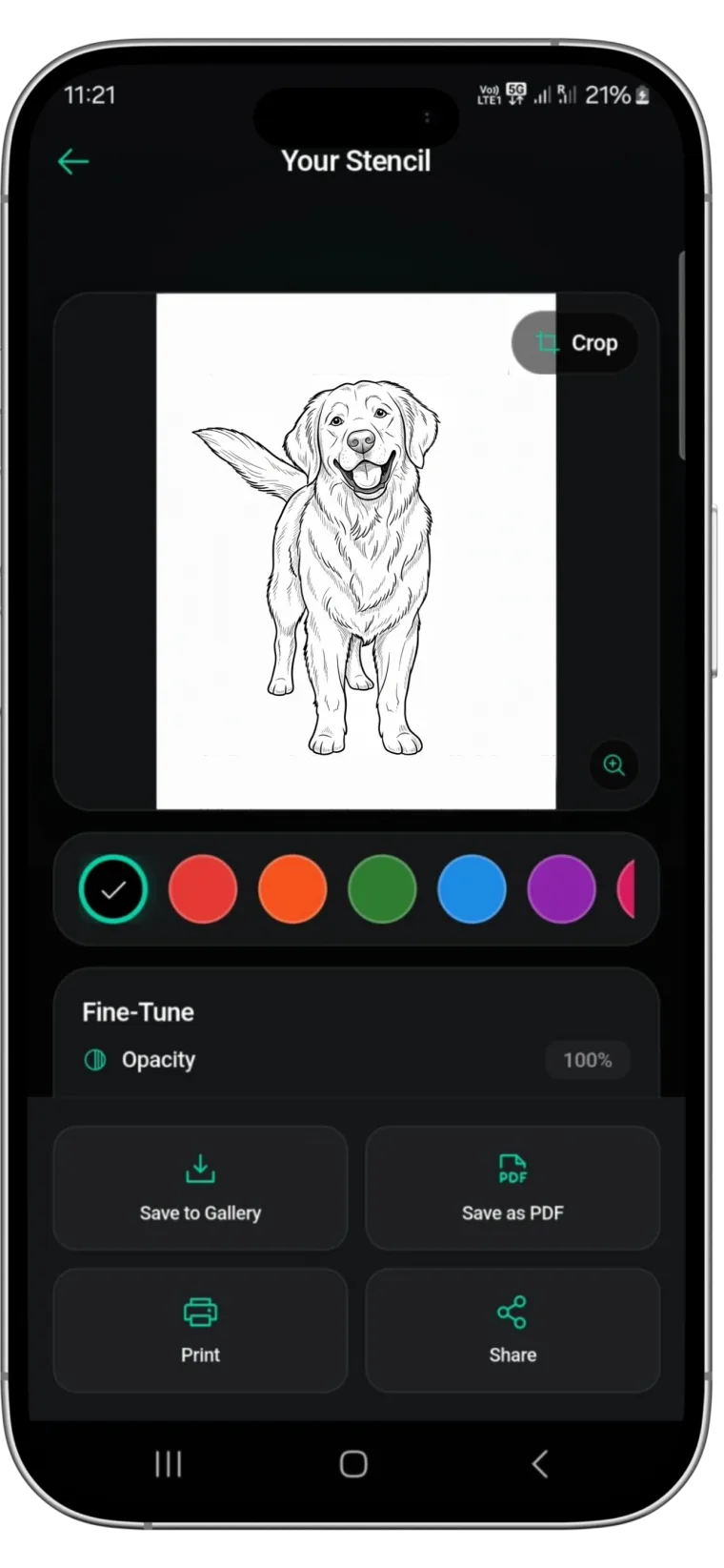
What Stencify does on iPhone
Most references already live on your phone: a client’s Instagram screenshot, a photo of a drawing, a picture of their dog. Stencify works directly from those images.
- Convert a photo, screenshot or sketch, or describe a design in words.
- Set line weight and contrast to control how much detail stays in.
- Edit the result with a text prompt, for example “remove the background flowers”.
- Preview the design with AI try-on on a body model or on a photo of the client.
- Pick one of four shading styles, clean up with the eraser and restore brush, and mirror the stencil for transfer paper.
- Print at the exact size you set in cm or inches, with a ruler on each page to check it, or save and share it in HD (4K).
Getting references in from your camera roll
Crop before you convert
Use the crop tool in Photos to cut a screenshot down to the design. Usernames and captions only add lines you will remove later.
Photograph drawings in even light
Shoot a paper sketch straight down near a window, without your shadow across the page.
Ask for the original file
Screenshots of screenshots lose eyelashes, whiskers and small lettering. Save the client’s full image to your camera roll so it shows up in the picker.
How artists use it during a consultation
The stencil can start while the client is still at the counter:
-
01
Convert the reference together
Open the image the client brought and convert it. About 30 seconds later you both have linework to look at.
-
02
Agree on the detail level
Adjust line weight and contrast, or type a change such as “simplify the leaves”, until the client is happy with what stays in.
-
03
Check placement with try-on
Take a photo of the forearm or shoulder and preview the design on it, so size and position are agreed before you print.
-
04
Save it for the appointment
Export the PDF and keep it in a client folder in Files, ready to print on the day.
The two free uses let you try this on a real consult first. See also how to streamline tattoo consultations.
Exporting and printing from iPhone
Stencify exports a PNG or a PDF. The PDF keeps the page size, A4 or US Letter, which makes it the safer choice for printing at the right scale.
Save to Files or Photos
Keep exported PDFs in Files, one folder per client, for quick reprints.
AirDrop to the studio computer or iPad
If your printer is connected to a Mac or an iPad at the station, AirDrop the PDF across and print from there.
Print straight from the phone
If the printer accepts prints from an iPhone, print from the share sheet. Many thermal stencil printers work through their own app or a computer instead; open the exported file there. In every case print at 100% or “actual size”, never “fit to page”.
Our guides on sizing and printing a stencil and choosing a stencil printer cover the printer side in more detail.
Pricing on iPhone
Two free uses, then $4.99 a week or $47.99 a year on the US App Store, managed through your Apple ID. The same subscription works on iPad with the same Apple ID. See the pricing page.
iPhone questions
Is Stencify free on iPhone?⌄
You get two free uses after installing from the App Store. After that it is $4.99 a week or $47.99 a year in the US. See the pricing page for details.
Can I print a stencil straight from my iPhone?⌄
Yes, if your printer accepts prints from an iPhone, for example over AirPrint. Many thermal stencil printers use their own app or a computer instead, so you can also send the exported PDF there and print at 100% scale.
Does it work with Instagram or Pinterest screenshots?⌄
Yes. Any image in your camera roll can be converted. Crop the screenshot to the design first, and ask the client for the original image when you can, because a sharper file gives cleaner lines.
Does my iPhone subscription also work on iPad?⌄
Stencify is the same App Store app on iPhone and iPad, so the subscription carries over when you use the same Apple ID on both devices.
Is there a version for Android or a computer?⌄
There is an Android app on Google Play. There is no web version and no desktop app, but you can send the PDF to a computer and print it from there.
Your next stencil starts in the camera roll
Install Stencify on your iPhone, pick a reference, and have printable linework in about 30 seconds.
Available on iPhone, iPad and Android
