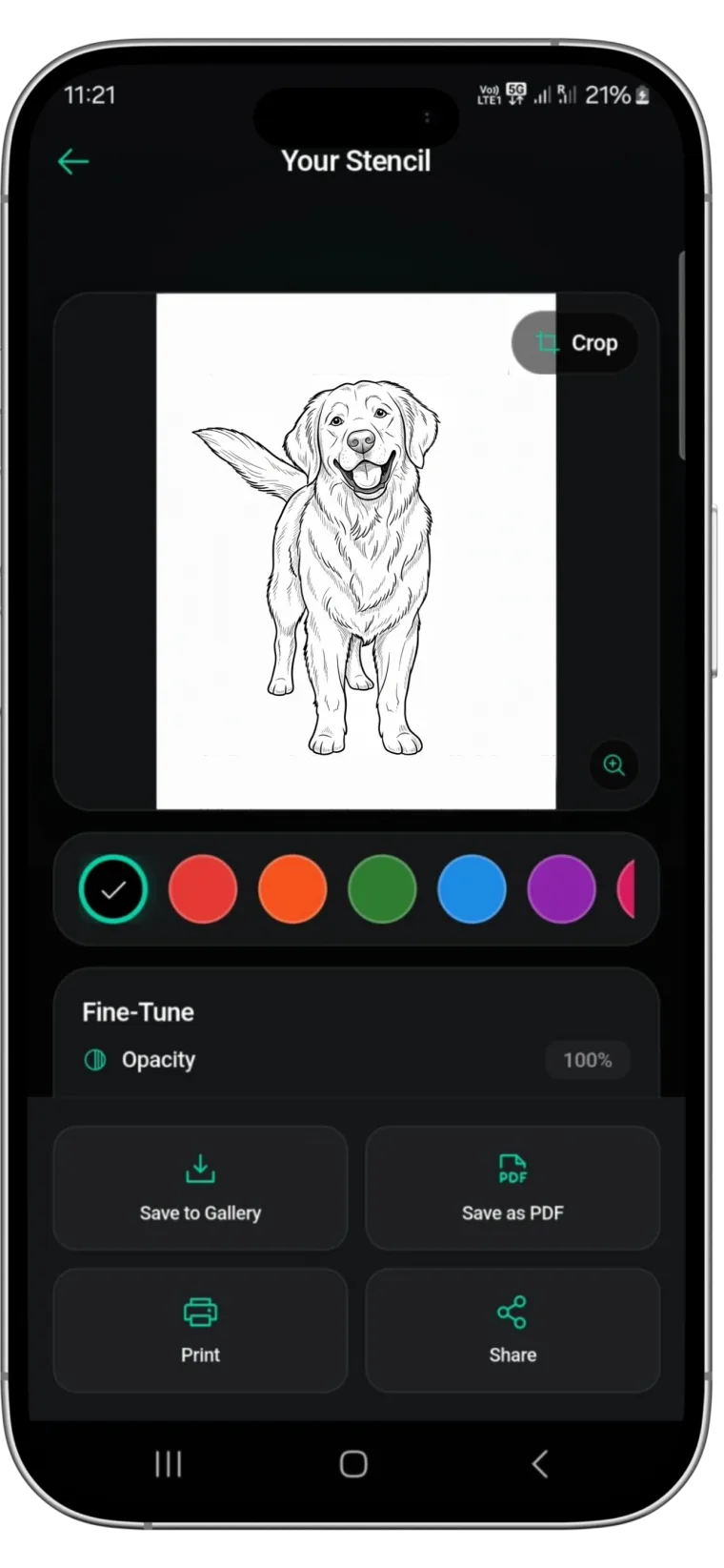
Free Printable Tattoo Stencils: Six PDFs Ready to Print
• by Stencify • 7 min read
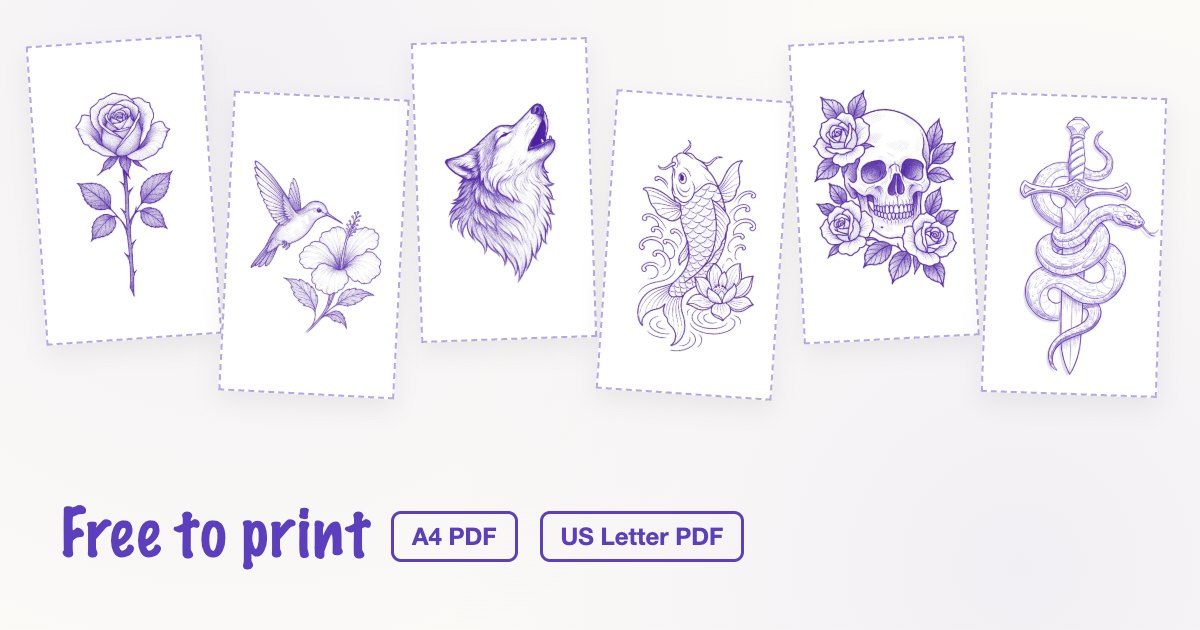
Most "free printable tattoo stencils" online are screenshots of a design at whatever size the page happened to show it. Print one and you get a blurry image at a size nobody chose. The six stencils below are different: each one is a PDF set up for A4 or US Letter, with the design at a stated height, a scale bar to check your printer, and black line work that prints cleanly on plain paper or through a stencil printer.
Key takeaways
- Every PDF has two pages: the design at one large size, then the same design at two smaller sizes.
- Print at 100% or "Actual size" with every fit or shrink option off, then measure the scale bar before you use the sheet.
- Need another size? Scale by percentage in the print dialog and measure the design itself, not the bar.
- For a client's own idea, a stencil made from their reference will always fit better than a generic one.
The six stencils
All six are real outputs from the Stencify app, chosen because they are complete line work rather than shaded artwork. They are shown here in the purple of a thermal stencil; the PDFs print them in black so they work on any printer. Choose A4 or US Letter under each design to download.
Single rose with stem
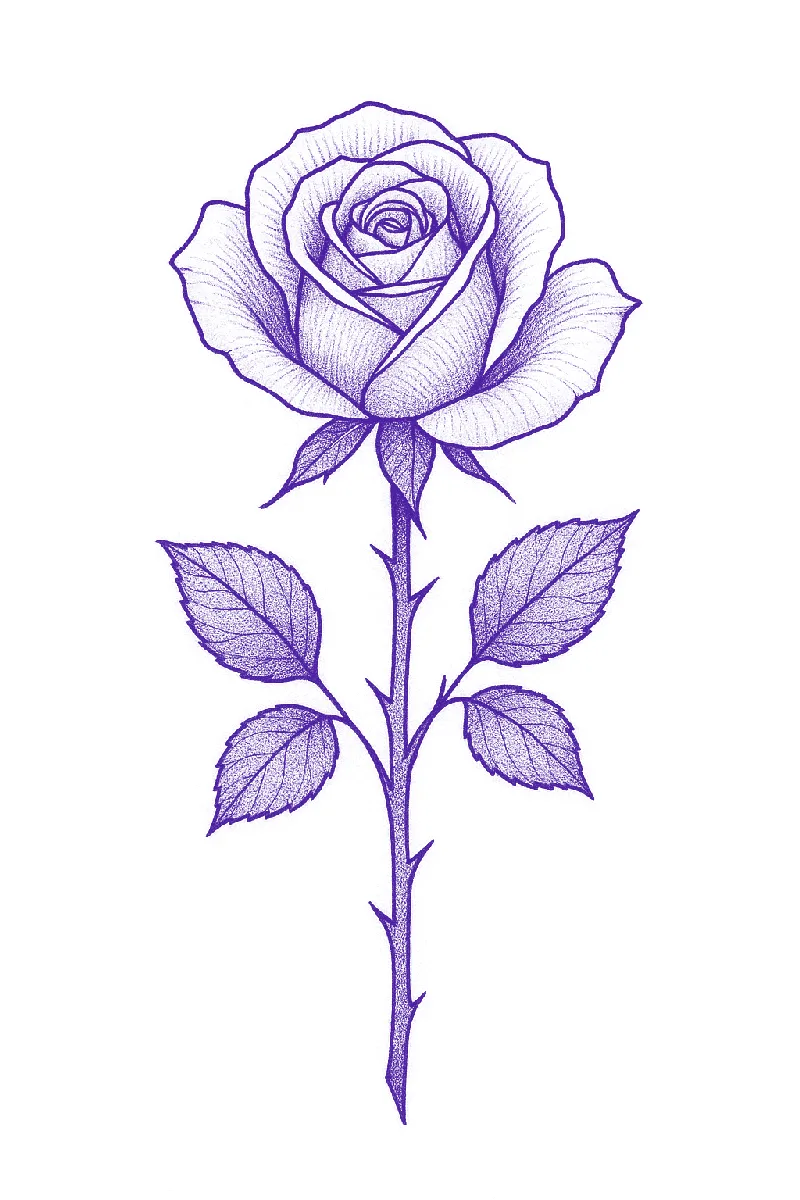
A forearm, calf or ribs piece. At 6 cm and under, the leaf texture will close up, so treat the small size on page two as an outline guide and leave the stipple to the needle. Download: A4 PDF or US Letter PDF. For more on drawing roses, see the rose stencil page.
Hummingbird and hibiscus
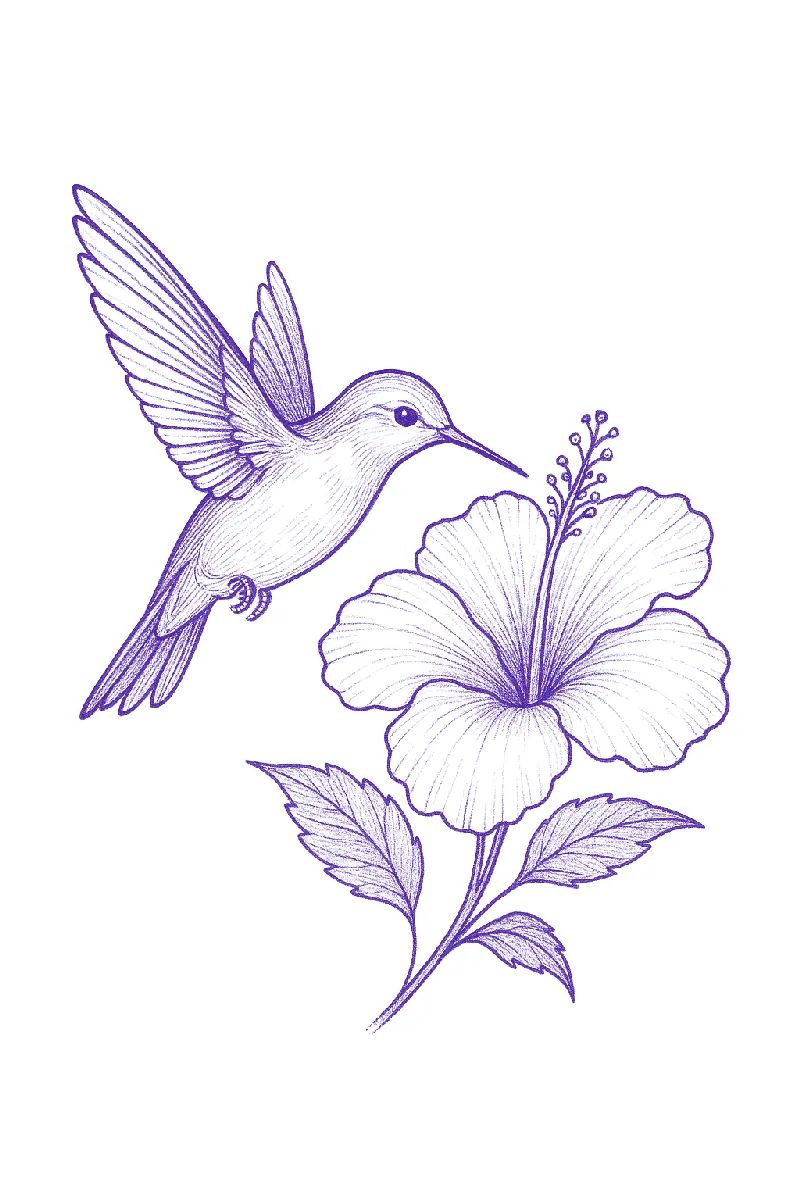
Suits a shoulder blade, upper arm or thigh, where its width has room. The wing feathers are the densest part; at the 10 cm size they are still readable, below that consider dropping every other feather line. Download: A4 PDF or US Letter PDF.
Howling wolf
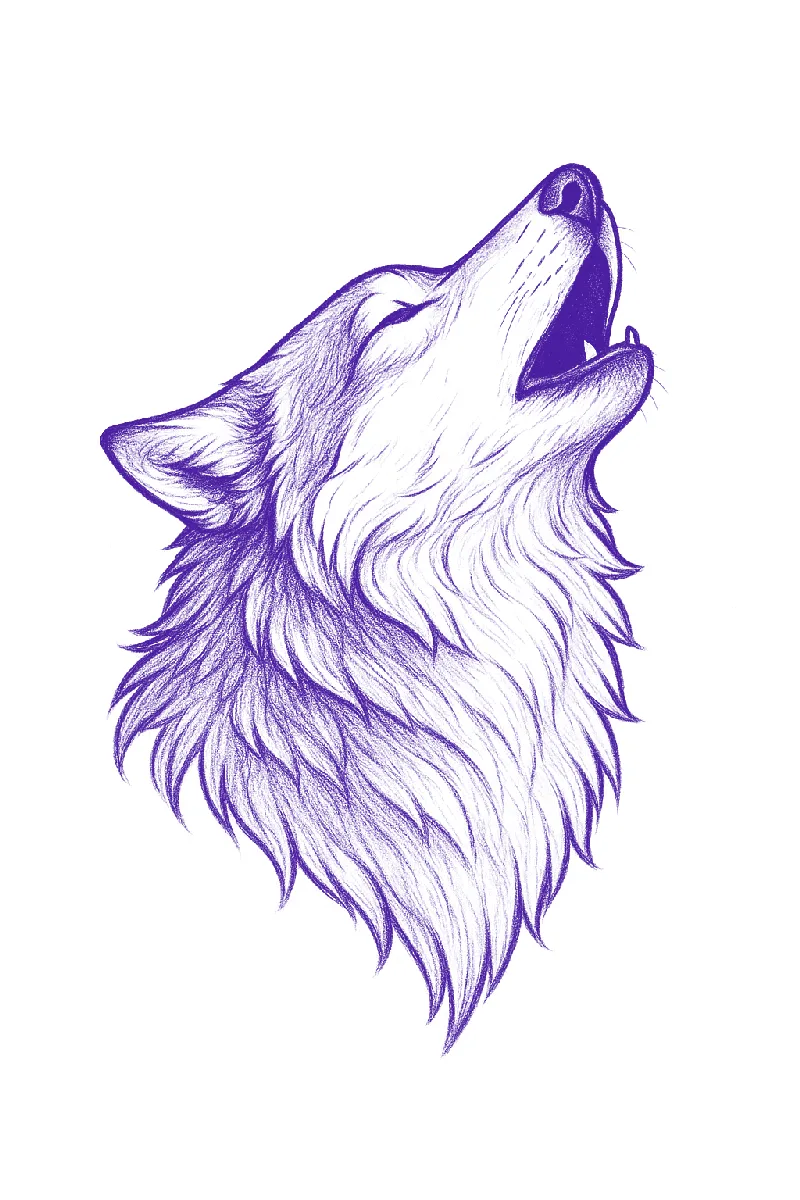
The fur strokes are a map for black and grey shading, so the large size is the one to tattoo from. Outer arm, calf and chest all work. Download: A4 PDF or US Letter PDF.
Koi with lotus
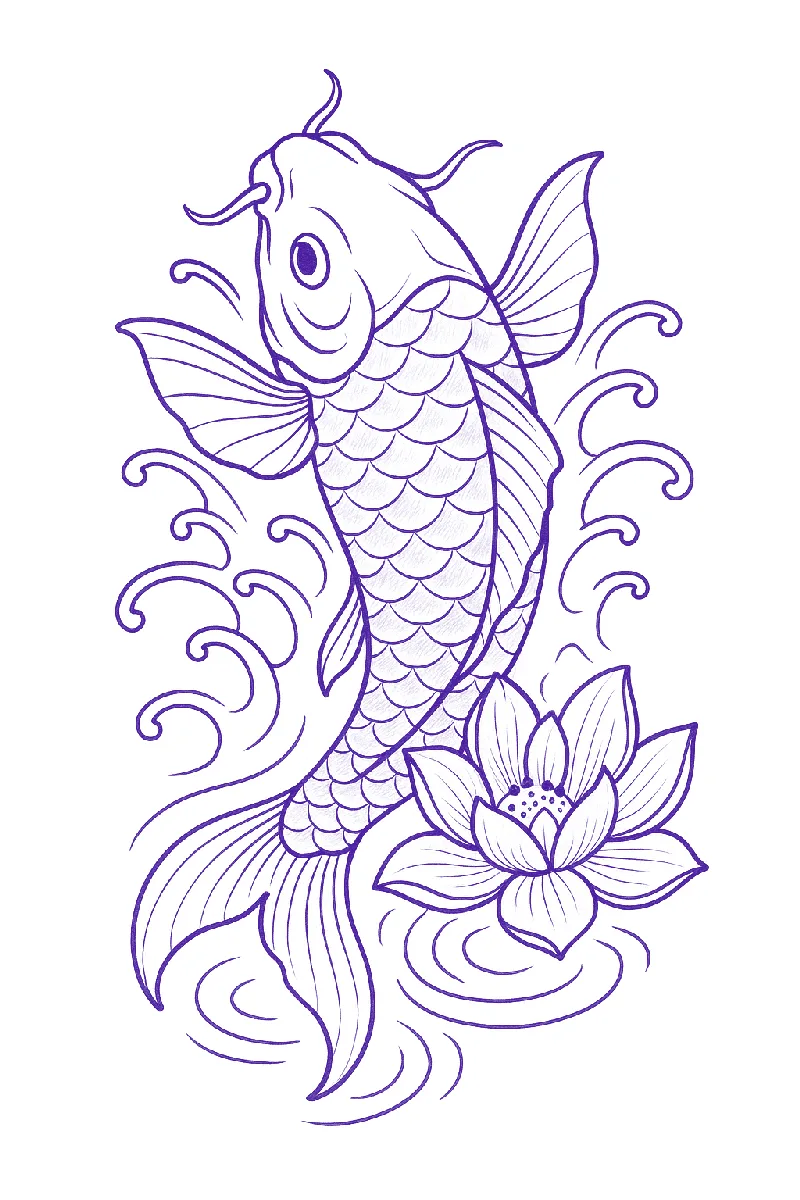
The vertical flow suits a forearm, calf or the side of the ribs. Scales are drawn as individual arcs, which keeps them clean when printed; if you shrink the design, check that the arcs near the tail do not touch. Download: A4 PDF or US Letter PDF.
Skull and roses
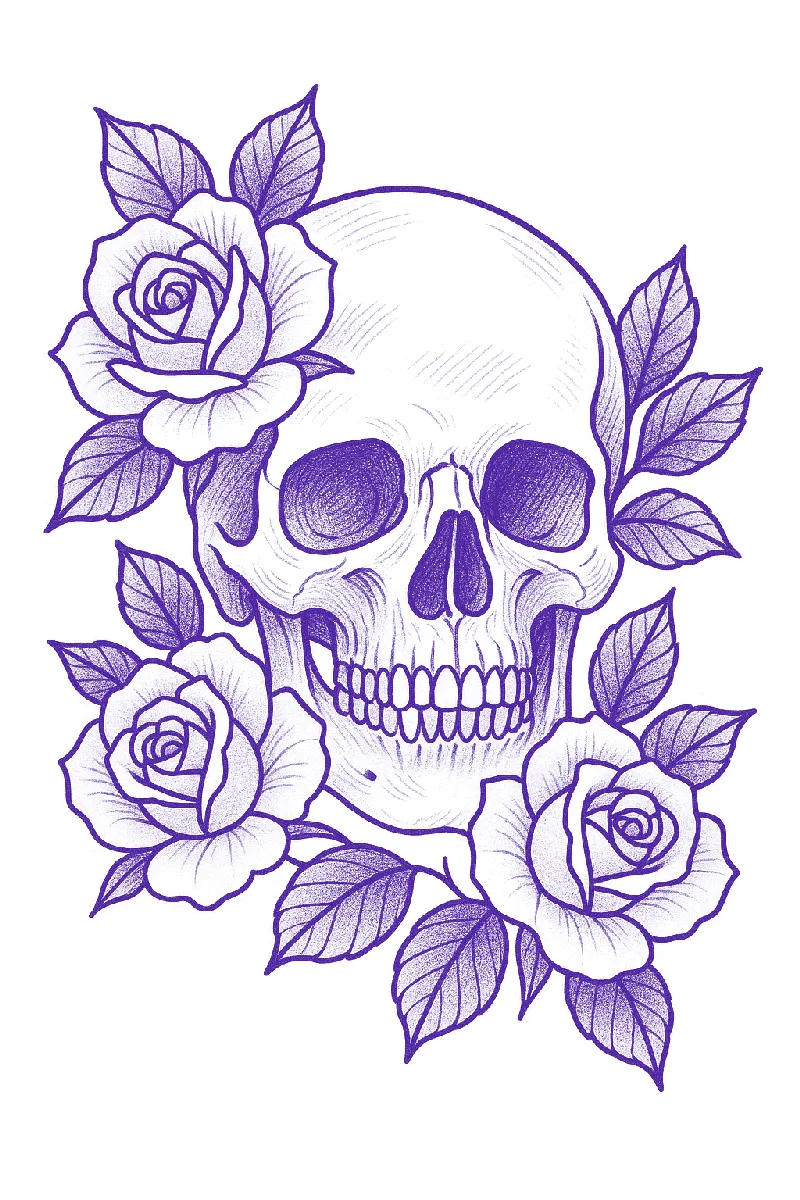
A full composition for an outer forearm, calf or upper back. The rose petals and leaf veins sit close together, so this one needs the 15 cm or 6 in page. The small sizes are there for placement checks, not for tattooing. Download: A4 PDF or US Letter PDF.
Snake and dagger
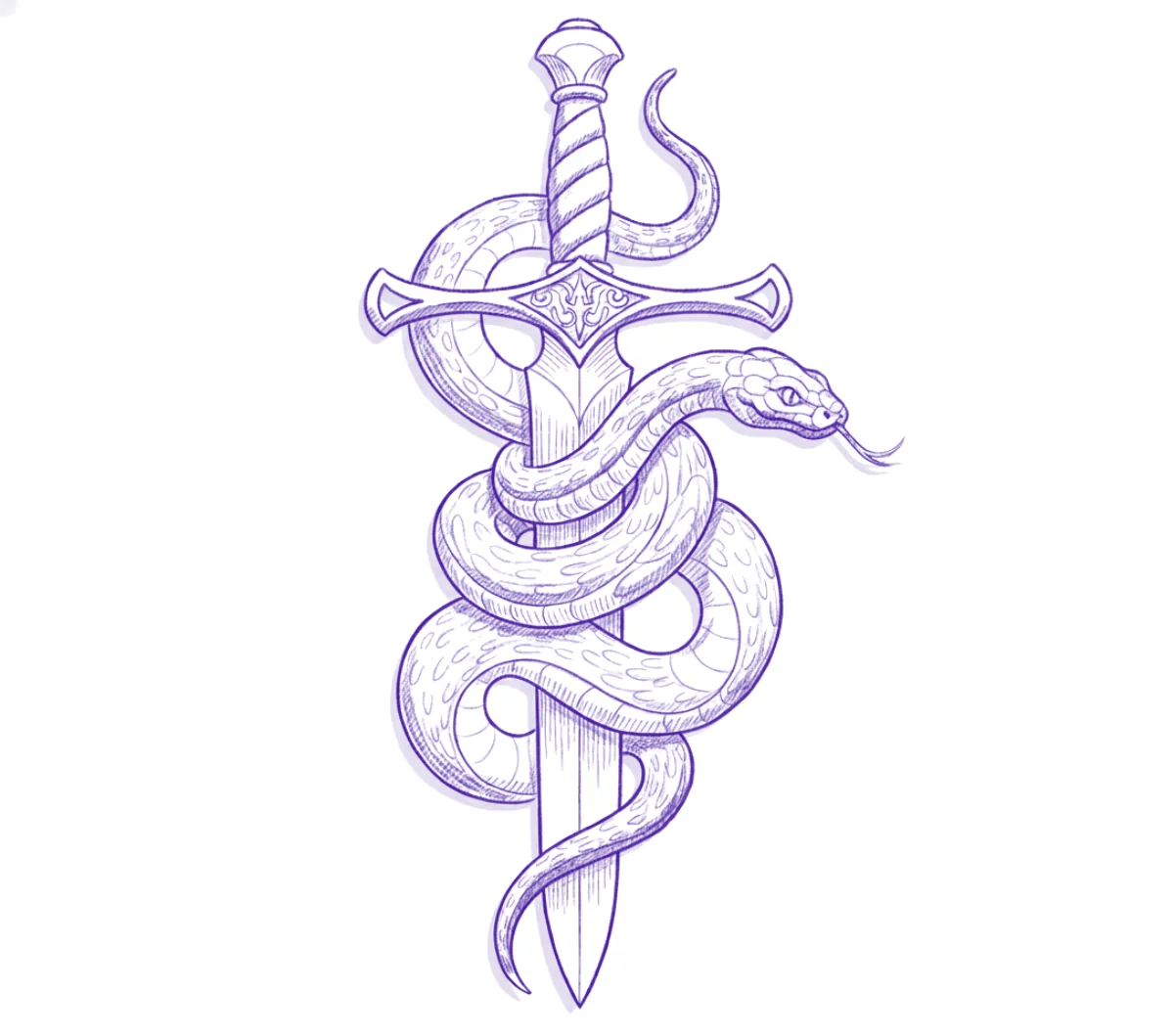
Works on a forearm or shin, and holds up well at small sizes because the shapes are simple and the gaps are wide. A good first full design for practice skin too. Download: A4 PDF or US Letter PDF.
What is in each PDF
| Page | A4 version | US Letter version |
|---|---|---|
| Page 1 | Design 15 cm tall | Design 6 in tall |
| Page 2 | Same design at 10 cm and 6 cm | Same design at 4 in and 2.5 in |
| Scale check | 5 cm bar on each page | 2 in bar on each page |
Heights are measured from the top of the line work to the bottom, not the page. Each page has a 12 mm margin, which most home printers can handle without cropping. The line work is converted to black because thermal printers and plain-paper tests both read black most reliably.
How to print at 100%
The single most common reason a downloaded stencil comes out the wrong size is the print dialog, not the file. Browsers and PDF viewers default to "Fit to page" or "Shrink oversized pages", which quietly rescale everything.
- Download the PDF that matches the paper in your printer. Printing an A4 file on Letter paper, or the reverse, forces the printer to scale.
- Open it in a PDF viewer and choose Print.
- Set scale to 100%, "Actual size" or "None", depending on the wording. Turn off "Fit", "Shrink to fit" and "Scale to printable area".
- Check the paper size in the dialog matches the tray.
- Print one page on plain paper and measure the scale bar with a ruler. If it reads 5 cm (or 2 in), the design heights are correct.
If the bar is off by more than a millimetre or two, the scaling is happening in the printer driver. Look for a "Layout" or "Paper handling" section in the full dialog. Printing from a phone often gives fewer options, so always measure the first sheet. The full sizing process, including measuring the placement first, is in how to size and print a tattoo stencil.
Which printer and paper
- Thermal stencil printer with thermal paper. The fastest route. Send the PDF to the printer from its app or driver at 100%. The purple line comes from the paper, not ink.
- Home inkjet or laser with plain paper. Fine for size checks and for tracing. Place the print under hectograph (freehand) paper and trace it with a hard ballpoint; the carbon sheet does the rest.
- Inkjet with stencil ink and inkjet stencil paper. A dedicated setup that prints a transferable stencil directly. Ordinary inkjet ink on ordinary paper will not transfer to skin properly.
The differences between thermal and hectograph paper are covered in the tattoo stencil paper guide, and printer choices in choosing a stencil printer.
Transferring the stencil
Once you have a stencil on transfer paper, the steps are the same as for any design: shave and clean the area, let it dry, apply a thin layer of stencil solution and rub it until tacky, place the stencil once without sliding, press from the centre outward, then peel slowly and let it dry before you start. The details, and the reasons a transfer comes out faint or smudged, are in getting the stencil to stick and the stencil solution guide. If you are still learning, these designs are a good fit for practising on fake skin first.
Printing at a different size
The three sizes in each PDF cover most placements, but you can print any size by scaling in the print dialog. Work out the percentage from the size you want and the size on the page:
Scale % = wanted height ÷ printed height × 100
For a 12 cm rose from the 15 cm page, 12 ÷ 15 × 100 = 80%. For a 5 in koi from the 6 in Letter page, 5 ÷ 6 × 100 is about 83%. Two things to watch. The scale bar shrinks along with the design, so measure the design itself, top line to bottom line. And going much larger than the page-one size will soften the lines, because the files are sized for these pages; for big work, make a fresh stencil at full size instead.
Before scaling down, look at the densest part of the design. Lines that sit closer than about 1 mm at the final size tend to merge as the tattoo heals and settles, so simplify that area rather than just shrinking it.
Making your own from a reference
Free designs are useful for practice, flash days and quick walk-ins, but most clients arrive with their own idea: a pet, a parent's handwriting, a photo of a specific flower. For those, start from their reference. You can trace it by hand, or convert it to line work with an app and then clean it up. Stencify, which made the six stencils above, turns a photo, sketch or text prompt into stencil line work in about 30 seconds, with line weight and contrast controls, edits by text prompt, a try-on preview, and PNG or PDF export sized for A4 or US Letter. It runs on iPhone, iPad and Android, and the first two uses are free: App Store or Google Play. More finished examples by subject are in the stencil library, and the full photo route is described on the photo to tattoo stencil page.
You are free to print these six stencils and use them for practice and for tattooing. Please do not resell the files or present them as your own artwork.
Frequently asked questions
Are these free tattoo stencils allowed for client work?
Yes. You can print them and tattoo them, on practice skin or on clients. Please do not resell the files or present them as your own artwork.
Why does my printed stencil come out the wrong size?
The print dialog is scaling it. Set scale to 100% or Actual size, turn off Fit to page and Shrink to fit, and use the PDF that matches your paper. Then measure the scale bar on the sheet.
Can I print a tattoo stencil on a normal home printer?
Yes, on plain paper, for size checks or to trace onto hectograph paper by hand. Ordinary inkjet or laser prints do not transfer to skin on their own; you need a thermal printer with thermal paper or an inkjet set up with stencil ink and inkjet stencil paper.
How do I print a stencil at a size that is not in the PDF?
Scale in the print dialog by the wanted height divided by the printed height, times 100. For example, 12 cm from the 15 cm page is 80%. Measure the design itself afterwards, because the scale bar shrinks with it.
Related reading
- How to Size and Print a Tattoo Stencil - measuring and printing at actual size
- Tattoo Stencil Paper - thermal versus hectograph paper
- Getting the Stencil to Stick - clean transfers on skin
- Stencil Library - more line-work examples by subject
Turn your client's reference into a stencil
Stencify converts a photo, sketch or text prompt into print-ready line work in about 30 seconds, sized for A4 or US Letter.