How to Make a Tattoo Flash Sheet You Can Print and Book From
• by Stencify • 6 min read
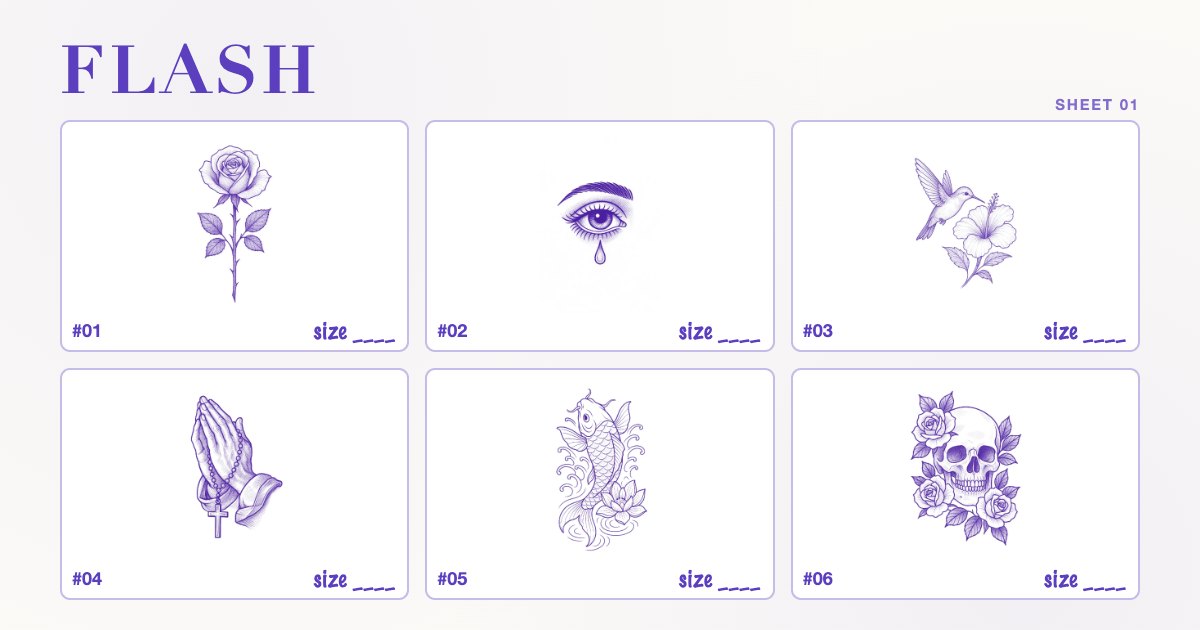
A flash sheet is a page of pre-drawn designs that clients can pick from and book. Done well, it fills your quiet days, makes walk-ins quick, and shows the style you want to be booked for. Done badly, it is a crowded page of drawings at random sizes that nobody can price or stencil without starting again. This guide covers planning a sheet, the layout and sizing grid, numbering and pricing, printing on A4 or US Letter, and turning each design into a stencil. A free printable template is included.
Key takeaways
- Plan around one theme and one style, with six to twelve designs per sheet.
- Leave a 10 mm margin and a 5 mm gap between designs so nothing is cropped and every design can be cut out cleanly.
- Number every design and write the tattoo size and price under it. That turns a drawing into something a client can book.
- Keep a separate, stencil-ready line file for each design so a booking does not mean redrawing.
Plan the sheet before you draw
Start with a theme. A sheet of ocean designs, a sheet of small botanicals, a sheet of traditional daggers and snakes: each reads as a set and is easier to promote than a mix. Then decide three things:
- How many designs. Six fits comfortably on an A4 or Letter page with room for detail. Twelve works for small pieces. More than that and each design gets too small to judge.
- Which sizes you want to tattoo. If your flash day is built around palm-sized pieces, draw for that size. A design that only works at 15 cm does not belong on a sheet of small flash.
- Repeatable or one-off. Some artists tattoo each flash design once and then retire it; others repeat designs freely. Decide before you post, and say so on the sheet.
Layout and sizing grid
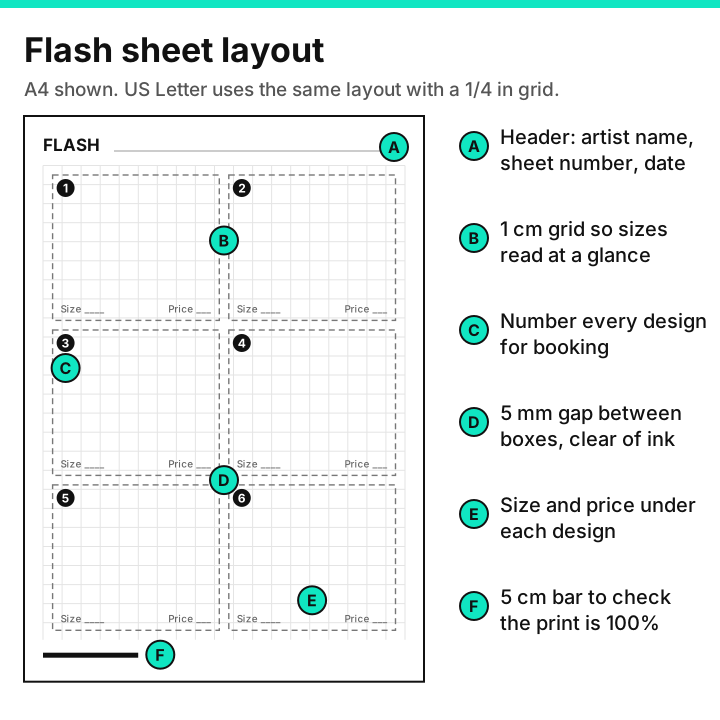
- A. Header. Your name or studio, a sheet number and a date. Clients screenshot flash and send it back weeks later; the sheet number tells you exactly which page they mean.
- B. Sizing grid. A light 1 cm grid (1/4 in on the Letter version) behind the designs. It lets you draw at a known size and lets anyone see roughly how big a design is. Keep it pale so it disappears in a scan or photo, or draw on a sheet over the grid on a light box.
- C. Numbers. One number per design, in the corner of its box.
- D. Gaps. 5 mm between boxes, kept clear of ink, so each design can be cropped or cut out on its own.
- E. Size and price. The tattoo size and price written under each design.
- F. Scale bar. A 5 cm (or 2 in) bar to check that the sheet printed at 100%.
Keep a 10 mm margin all round. Most home printers cannot print to the very edge of the page, and a design that runs into the margin will be clipped.
Free flash sheet template
The template has two pages: six large boxes for detailed pieces, and twelve smaller boxes for small flash. Both have the header, numbering, size and price fields and the scale bar.
- Flash sheet template, A4 (PDF): 5 mm grid with 1 cm major lines
- Flash sheet template, US Letter (PDF): 1/4 in grid with 1 in major lines
Print it at 100% and measure the scale bar. You can draw straight onto it, put it under a sheet of drawing paper on a light box, or import it as a bottom layer in a drawing app and hide it before export.
Drawing the designs
Flash is judged as a set, so consistency matters more than any single drawing.
- Draw the line work first, at the size you will tattoo. Use the grid to keep each design within its intended size. If it only looks good at twice the size, simplify it now.
- Use the same line weights across the sheet. One outline weight and one detail weight for every design. A sheet where one design is bold and the next is fine line looks unfinished.
- Leave space inside the shapes. Small enclosed gaps and lines that sit closer than about 1 mm at final size will fill in as the tattoo heals. The small tattoo guide covers the minimum sizes.
- Make a coloured display version if you tattoo in colour. Keep the clean line version as its own file; that is the one you will stencil from.
If you start from photo references or rough sketches, it can help to convert them to clean line work first, then draw over the result in your own style. Our guide on turning a sketch into a stencil explains the clean-up steps.
Numbering, sizes and prices
Numbers make booking simple: "number 4 on sheet 12" is unambiguous in a message. Under each design, write the size it will be tattooed at, for example "7 cm" or "3 in", and the price for that size. If a design can be done at more than one size, list each size with its price rather than leaving it open, so clients do not expect a large detailed piece for a small price.
Prices on flash are usually fixed per design, which is part of the appeal for clients. How you set them depends on your rates and your market; our post on how much a tattoo costs covers the usual pricing models and what moves a price up or down.
Printing on A4 or US Letter
| Paper | Size | Printable area with a 10 mm margin |
|---|---|---|
| A4 | 210 x 297 mm | 190 x 277 mm |
| US Letter | 8.5 x 11 in (215.9 x 279.4 mm) | about 196 x 259 mm |
If you share sheets internationally, note that Letter is wider and shorter than A4. A layout drawn edge to edge for one will be cropped or scaled on the other, which is why the template keeps a generous margin and has a separate version for each size.
- Print at 100% or Actual size with Fit to page turned off, and measure the scale bar on the first print.
- Use heavier matte paper for the copy you pin up in the studio. It handles being pointed at and taken off the wall better than standard copy paper.
- Photograph or scan flat, in even light for posting online. Crop each design separately as well as posting the full sheet, since clients often share a single design.
Turning flash into stencils
The point of flash is that the design is ready, so the stencil should be too. For each design on the sheet:
- Keep a clean line file. Export each design separately as black line work on white, without the grid, numbers or colour.
- Check it at the tattoo size. Print it on plain paper at 100% and hold it against the placement. Adjust if the client's arm is narrower than you expected.
- Print the stencil. On a thermal printer with thermal paper, or traced onto hectograph paper. The stencil paper guide explains the difference, and how to size and print a tattoo stencil covers getting the size right.
- Save the stencil-ready file under the sheet and design number, so the next booking for the same design takes minutes.
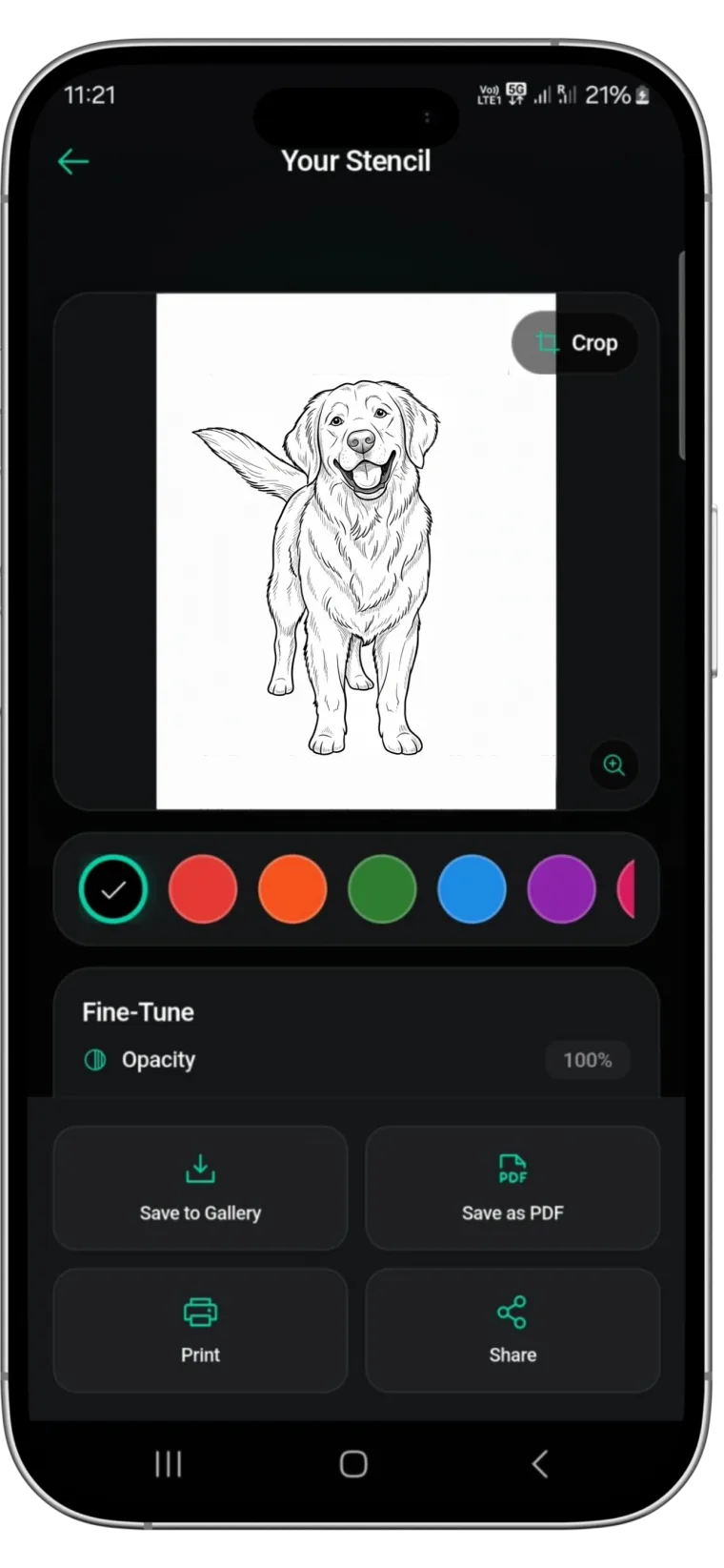
If your flash exists only on paper, photograph it flat and convert it back to clean line work. Stencify does that in about 30 seconds from a photo or sketch, with line weight and contrast controls, and exports PNG or PDF for A4 or US Letter, for thermal or inkjet printers. It also has a try-on preview, useful for showing a walk-in how a flash piece sits on their arm before you print. It runs on iPhone, iPad and Android, with two free uses: App Store or Google Play. For keeping walk-ins moving on a busy day, see walk-in ready: fast stencil turnaround.
Frequently asked questions
How many designs should a tattoo flash sheet have?
Six works well on an A4 or US Letter page for detailed designs; up to twelve for small pieces. More than that and each design is too small to judge.
What size paper is used for flash sheets?
For printing at home or in the studio, A4 (210 x 297 mm) or US Letter (8.5 x 11 in). Keep a 10 mm margin so home printers do not clip the designs.
Should a flash sheet show prices?
It helps. Write the tattoo size and the price for that size under each numbered design so clients can book a specific piece without a long back and forth.
How do I turn a flash design into a stencil?
Keep a clean black line version of each design without the grid or colour, check it at the tattoo size on plain paper, then print it on thermal paper or trace it onto hectograph paper at 100%.
Related reading
- Walk-In Ready - fast stencil turnaround
- How to Size and Print a Tattoo Stencil - actual size, every time
- Sketch to Tattoo Stencil - cleaning up drawn line work
- Free Printable Tattoo Stencils - six designs ready to print
Turn paper flash into clean stencils
Stencify converts a photo of your drawing into print-ready line work in about 30 seconds, sized for A4 or US Letter.